
Weather
Get 16-day and six-week colour weather forecast built specifically for the reMarkable Paper Pro and Paper Pro Move. Enjoy offline access, global city searches, and bold, high-contrast alerts—all with no account or API key required.
$4.99
Weather for reMarkable Paper Pro & Paper Pro Move
A clear, easy-to-read weather forecast designed for colour e-ink. Check the weather for any city in the world, from the next hour to six weeks ahead, right on your reMarkable.
Four simple tabs
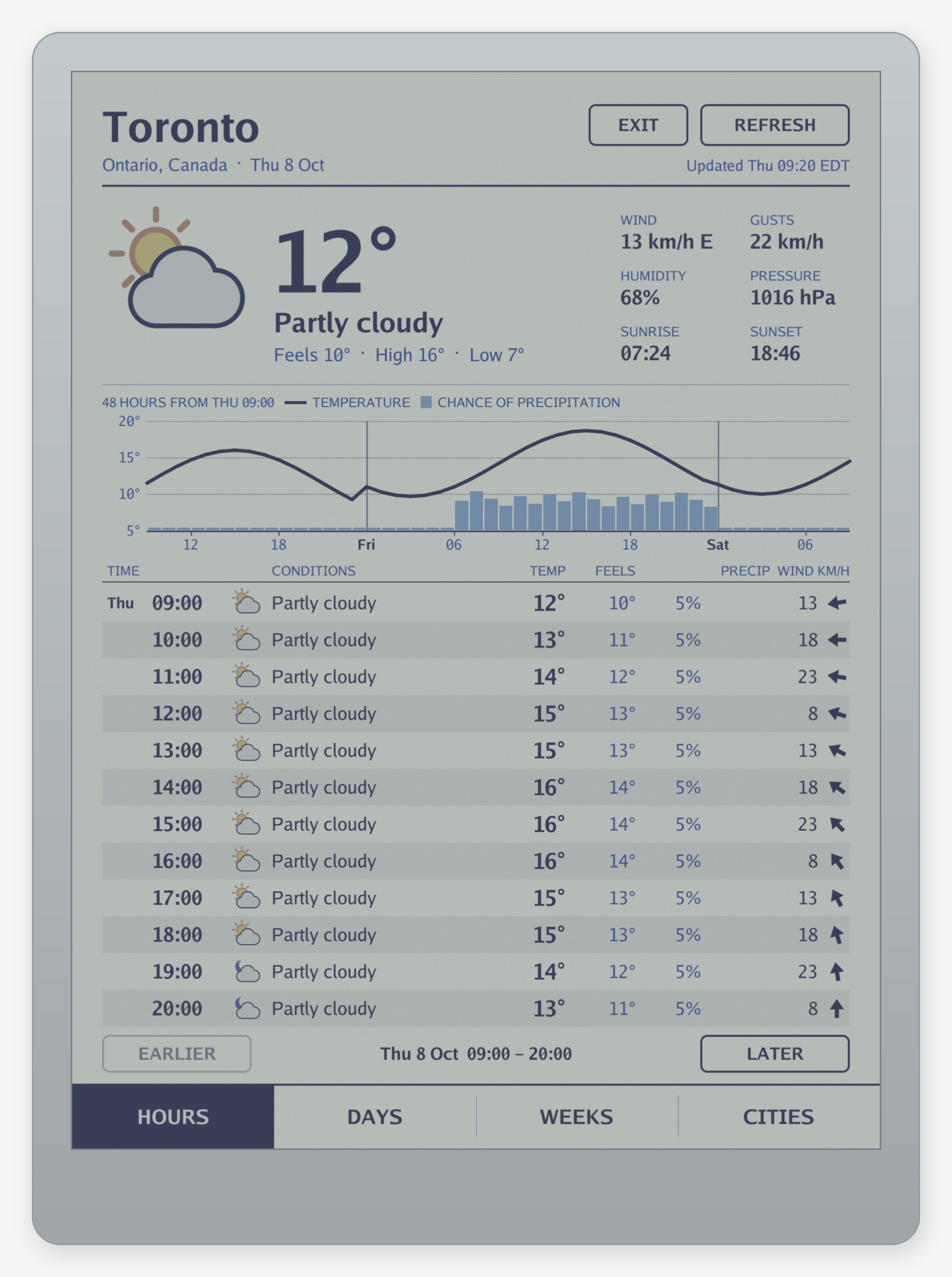
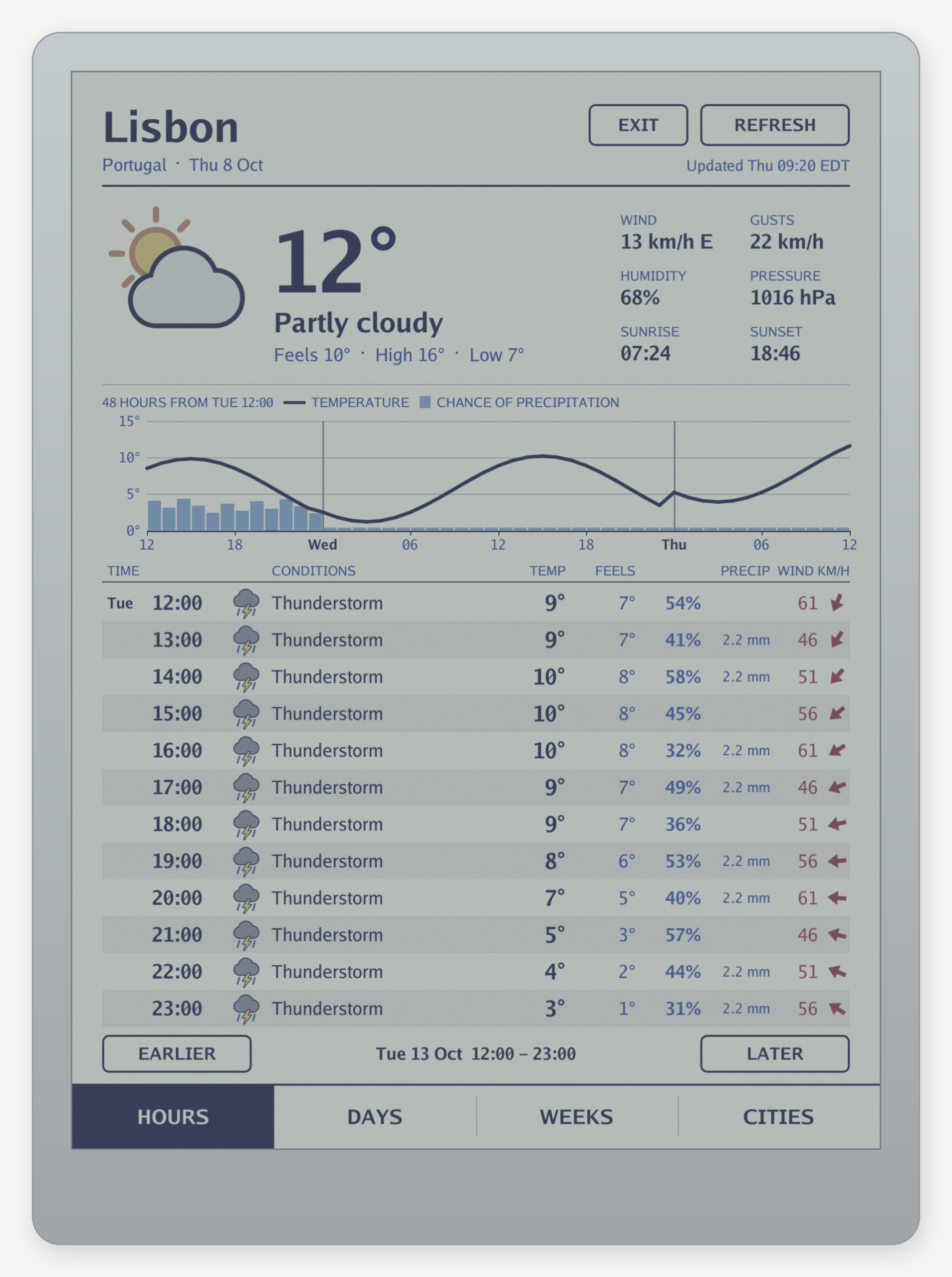
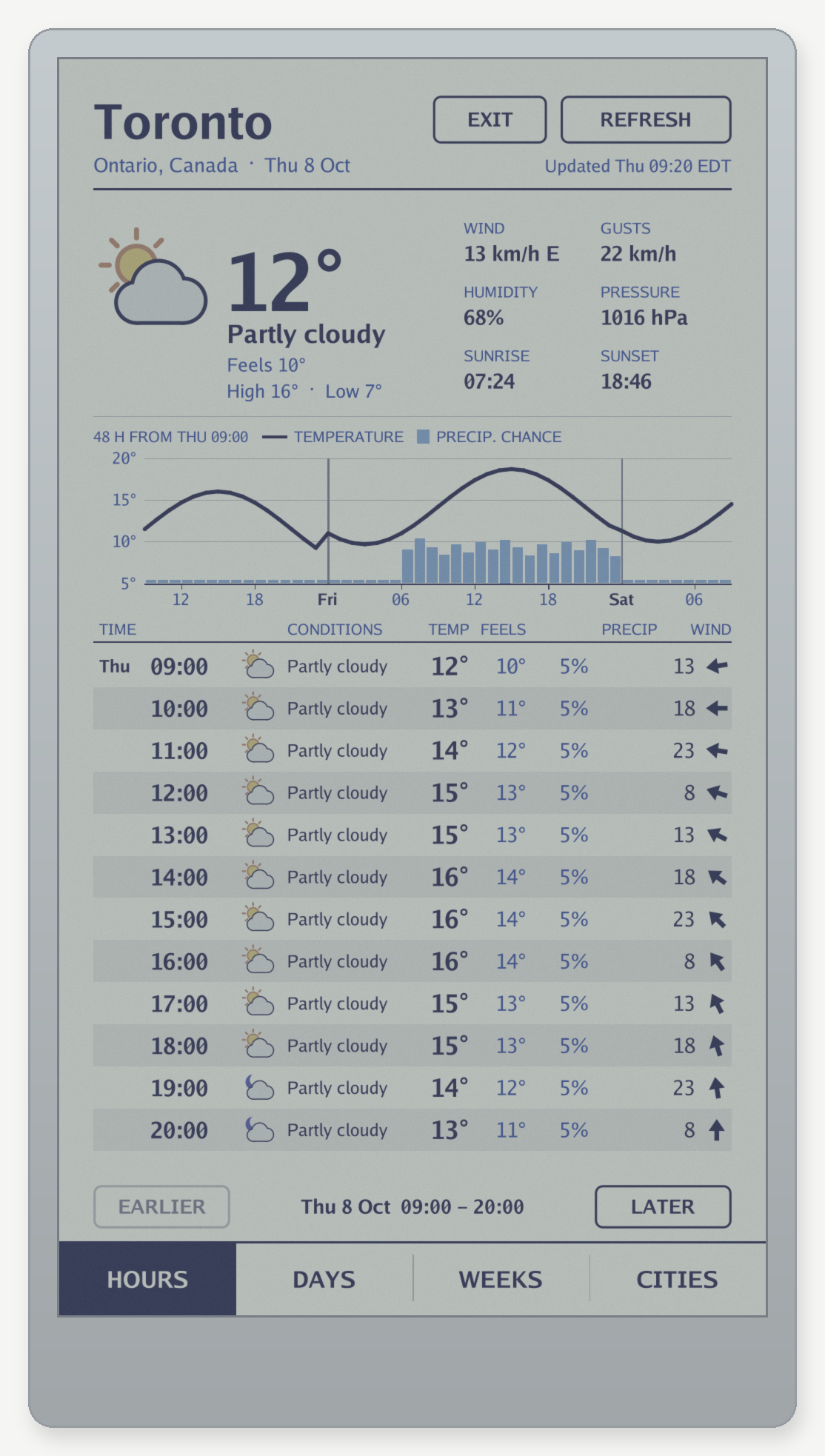
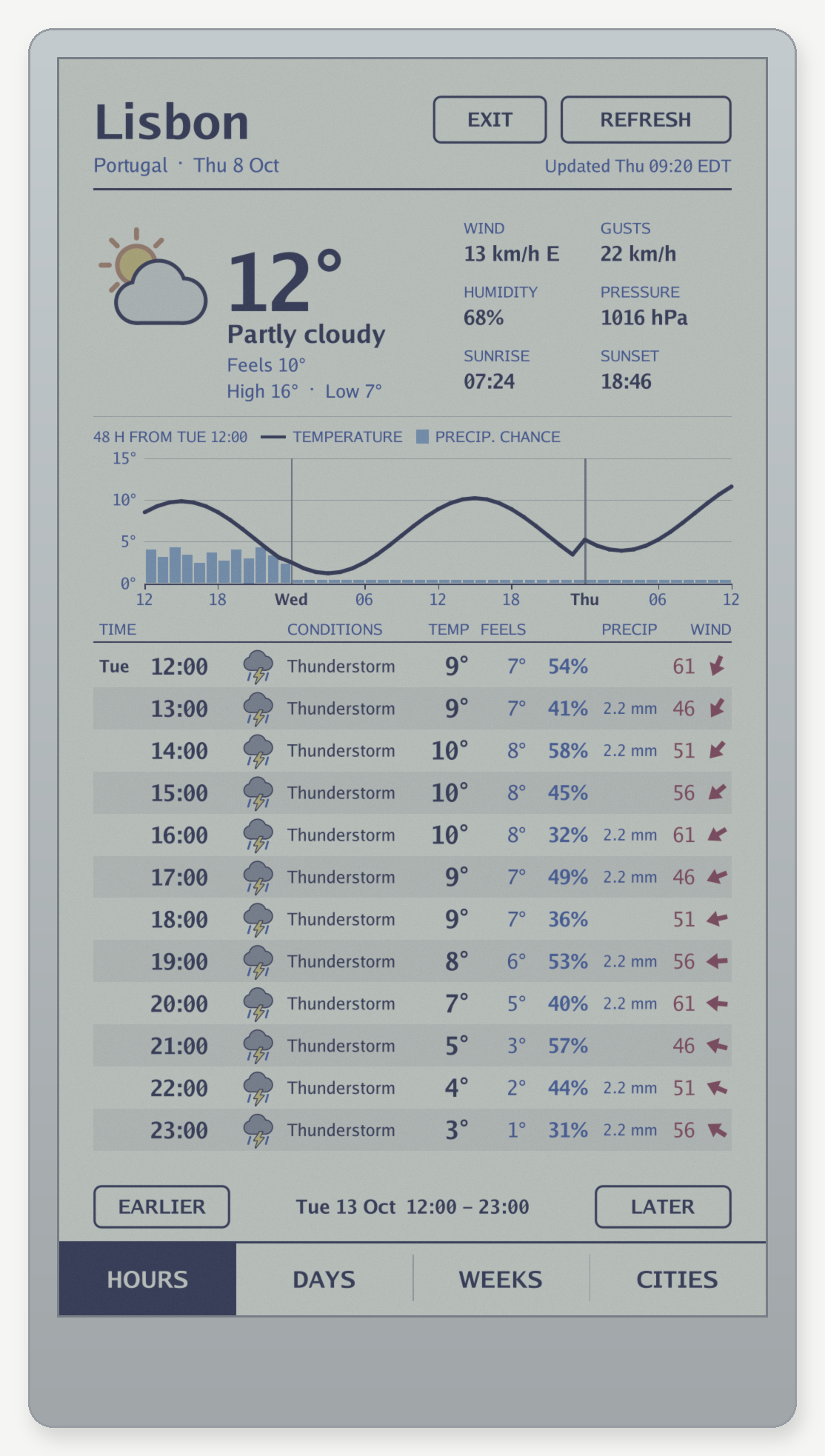
- Hours: current conditions with temperature, feels-like, wind, gusts, humidity, pressure, sunrise and sunset. A 48-hour chart shows temperature and chance of rain, with an hour-by-hour table you can page through all 16 days.
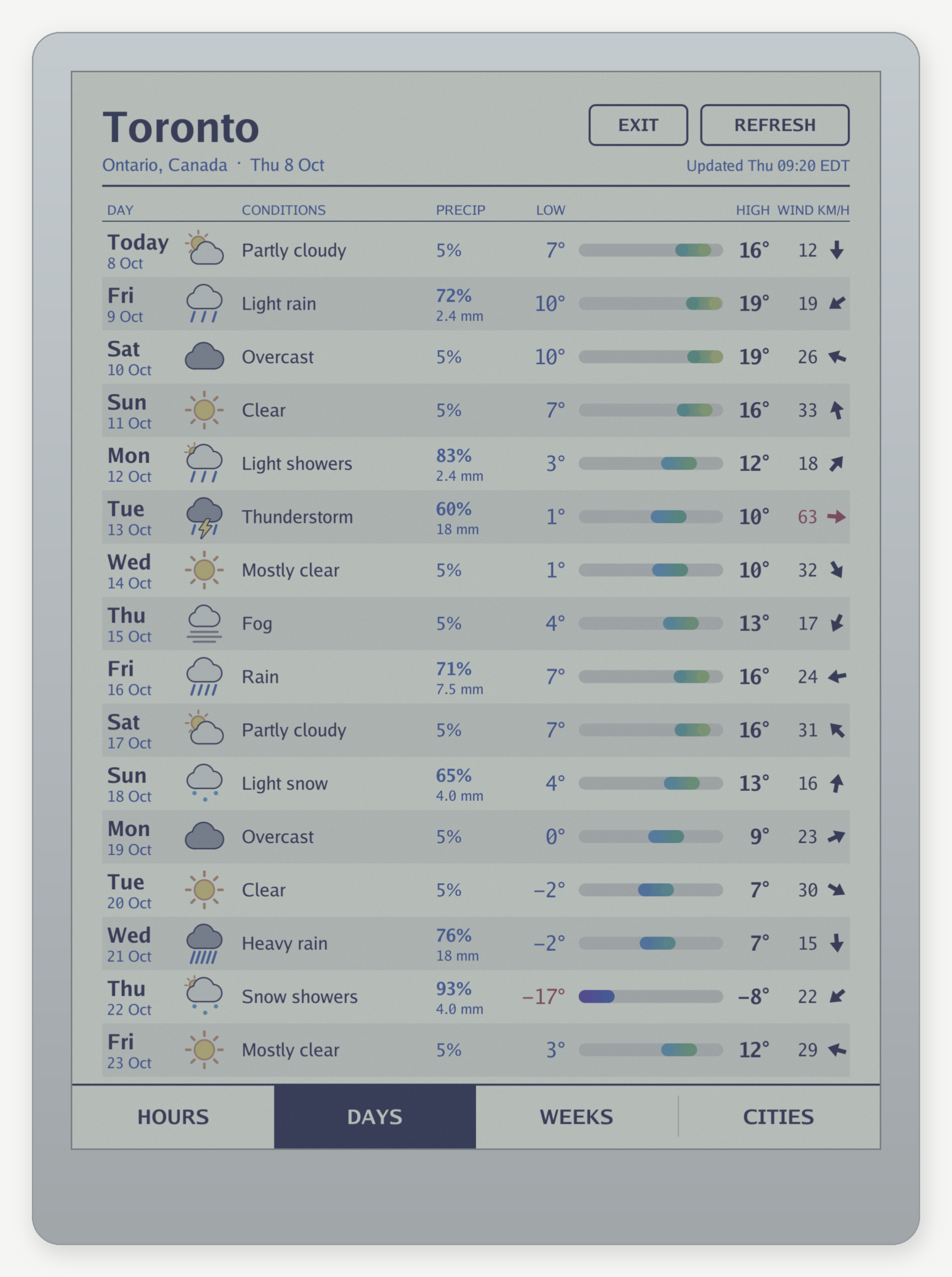
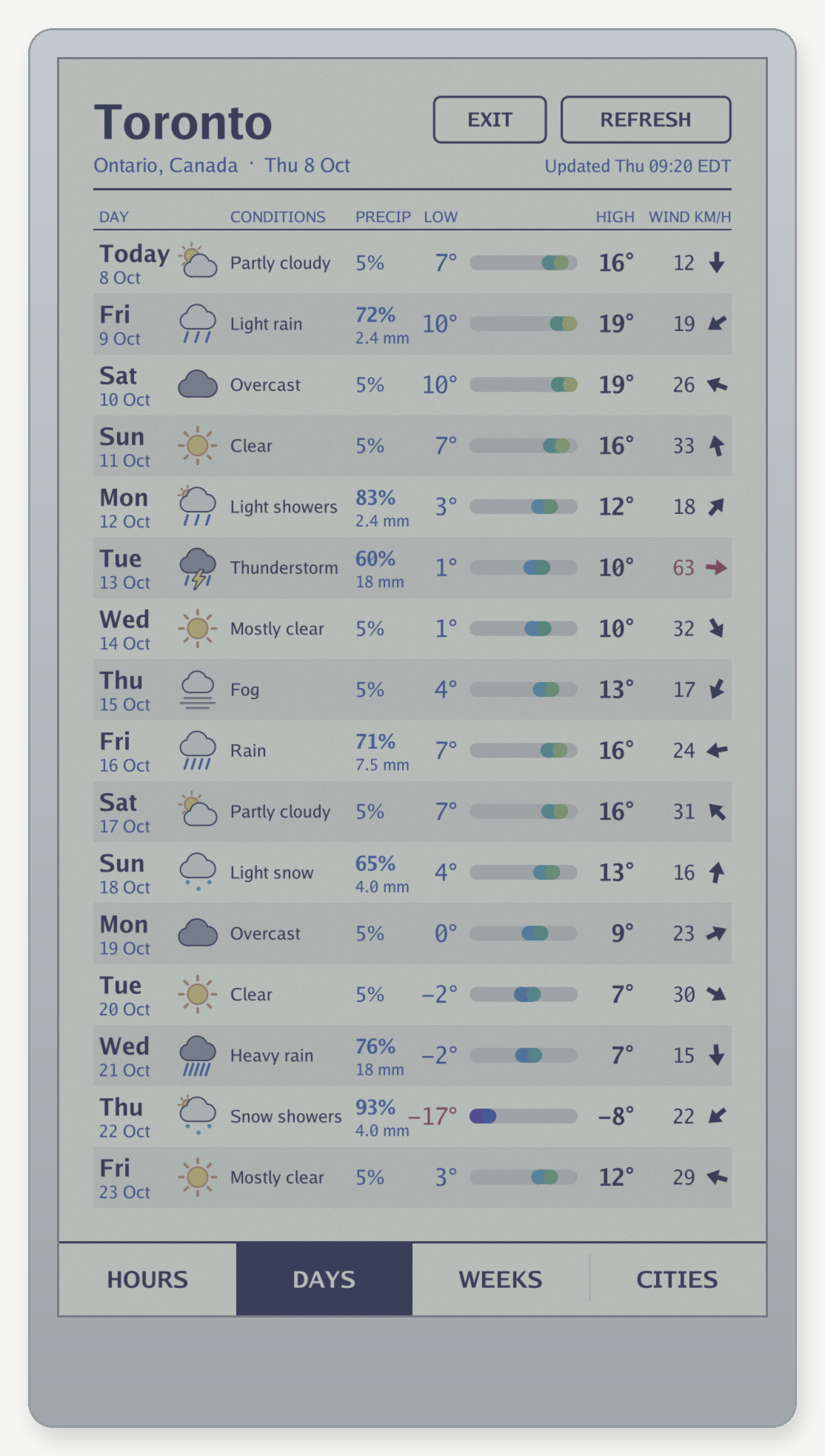
- Days: a 16-day forecast, one day per row, with weather icons, chance and amount of precipitation, low-to-high temperature bars and wind. Tap any day to see its hours.
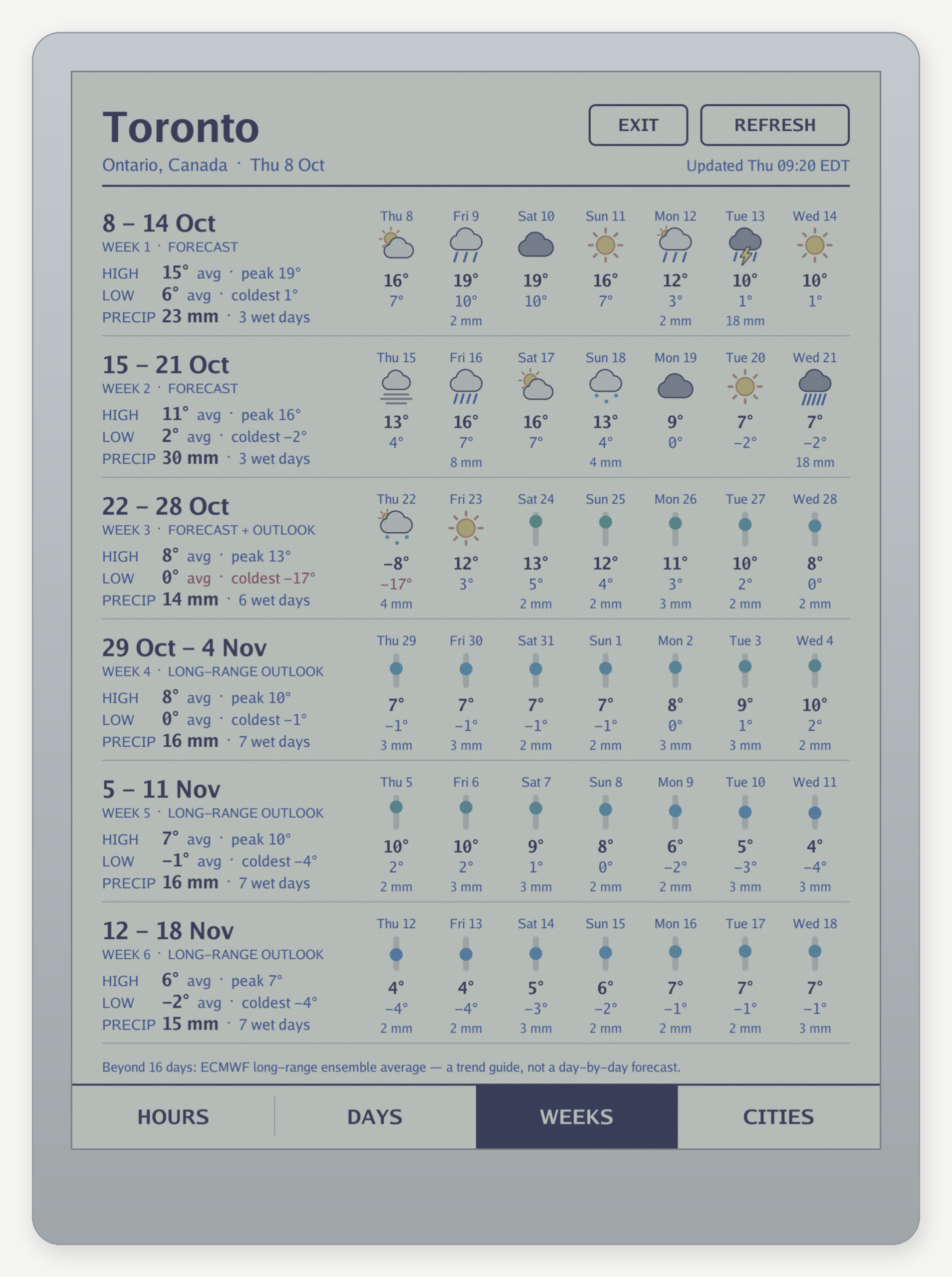
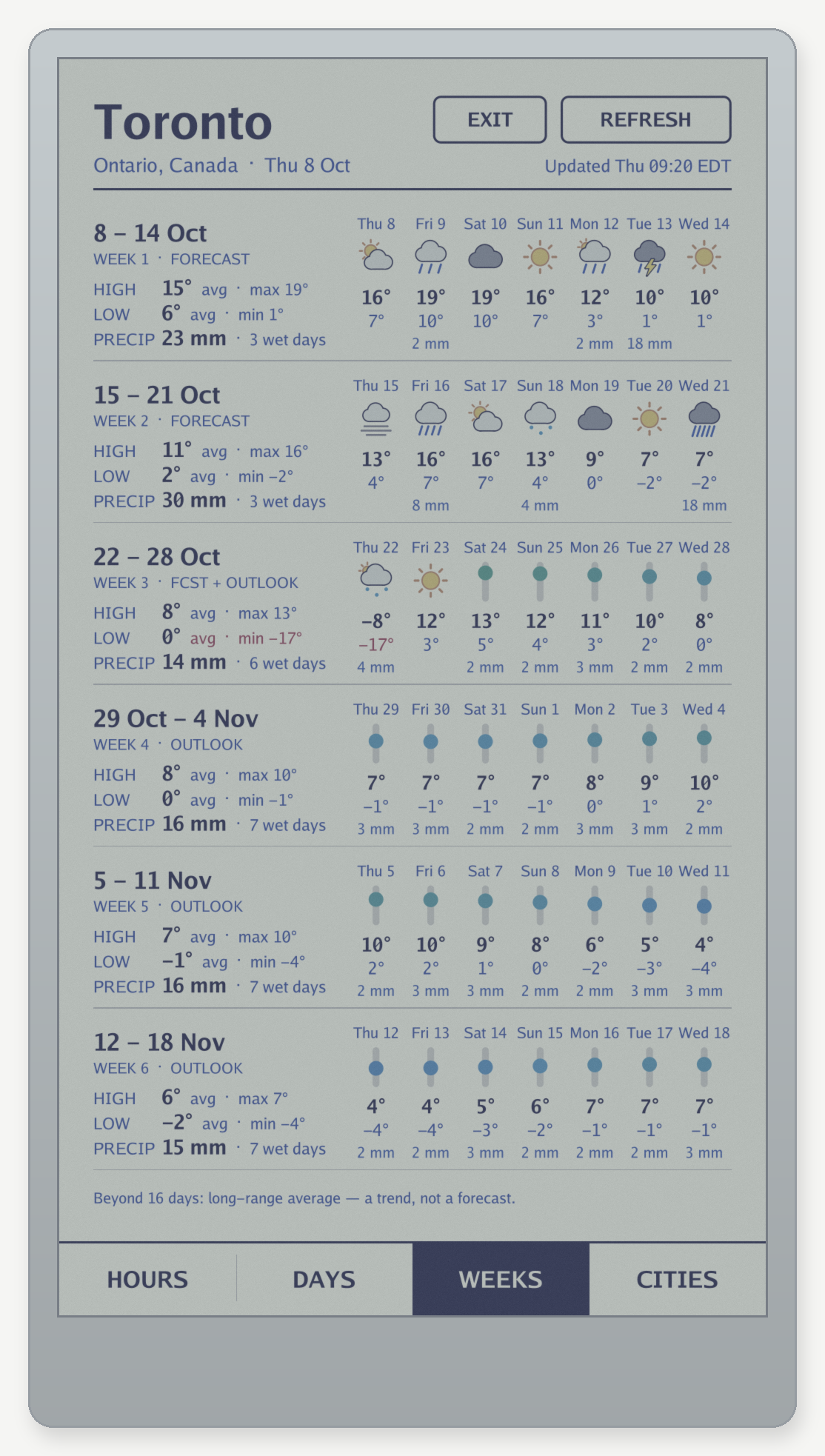
- Weeks: a six-week view. The first 16 days come from the detailed forecast, and the weeks after from the ECMWF long-range outlook, so you can spot trends for trips and camping.
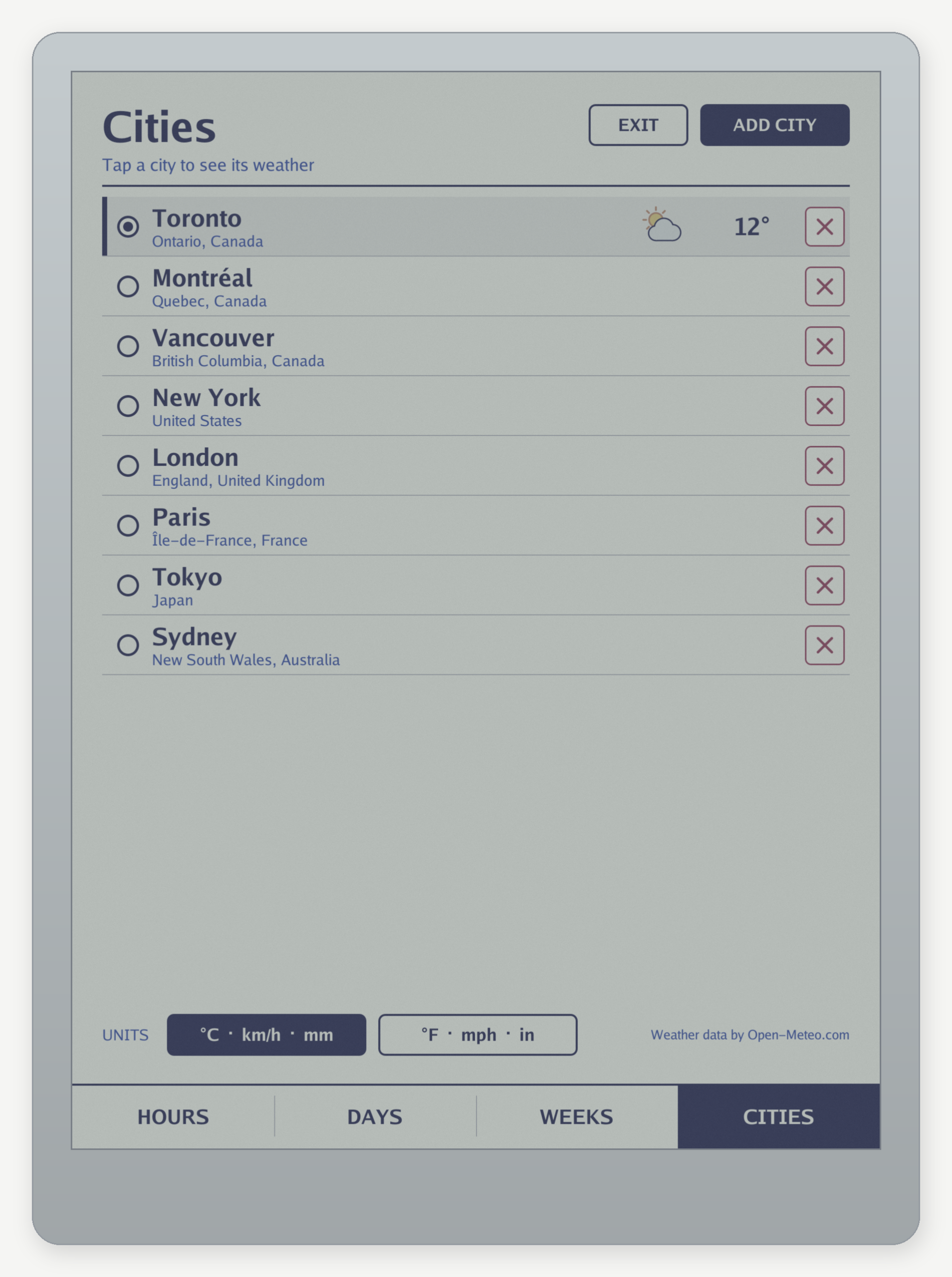
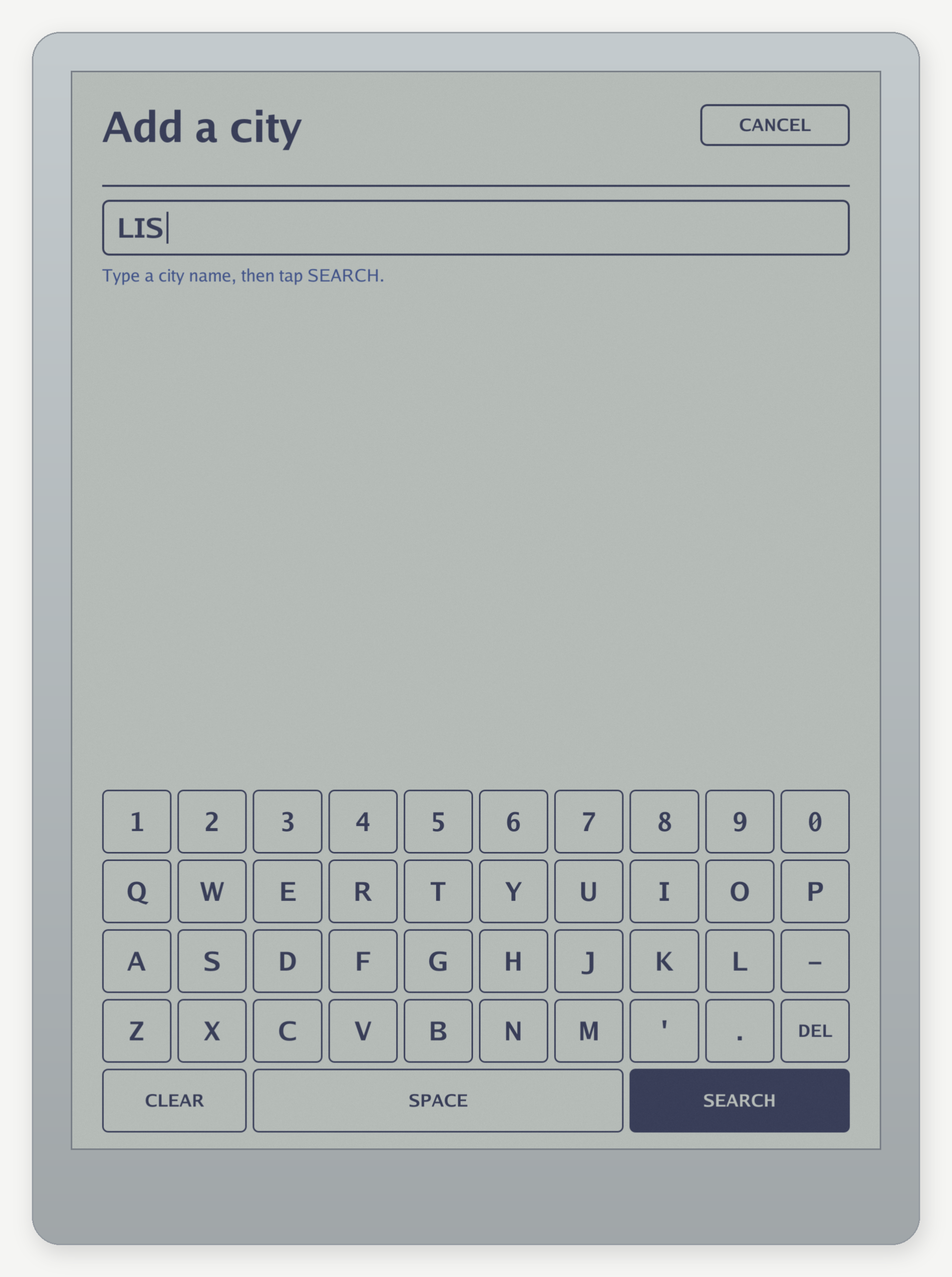
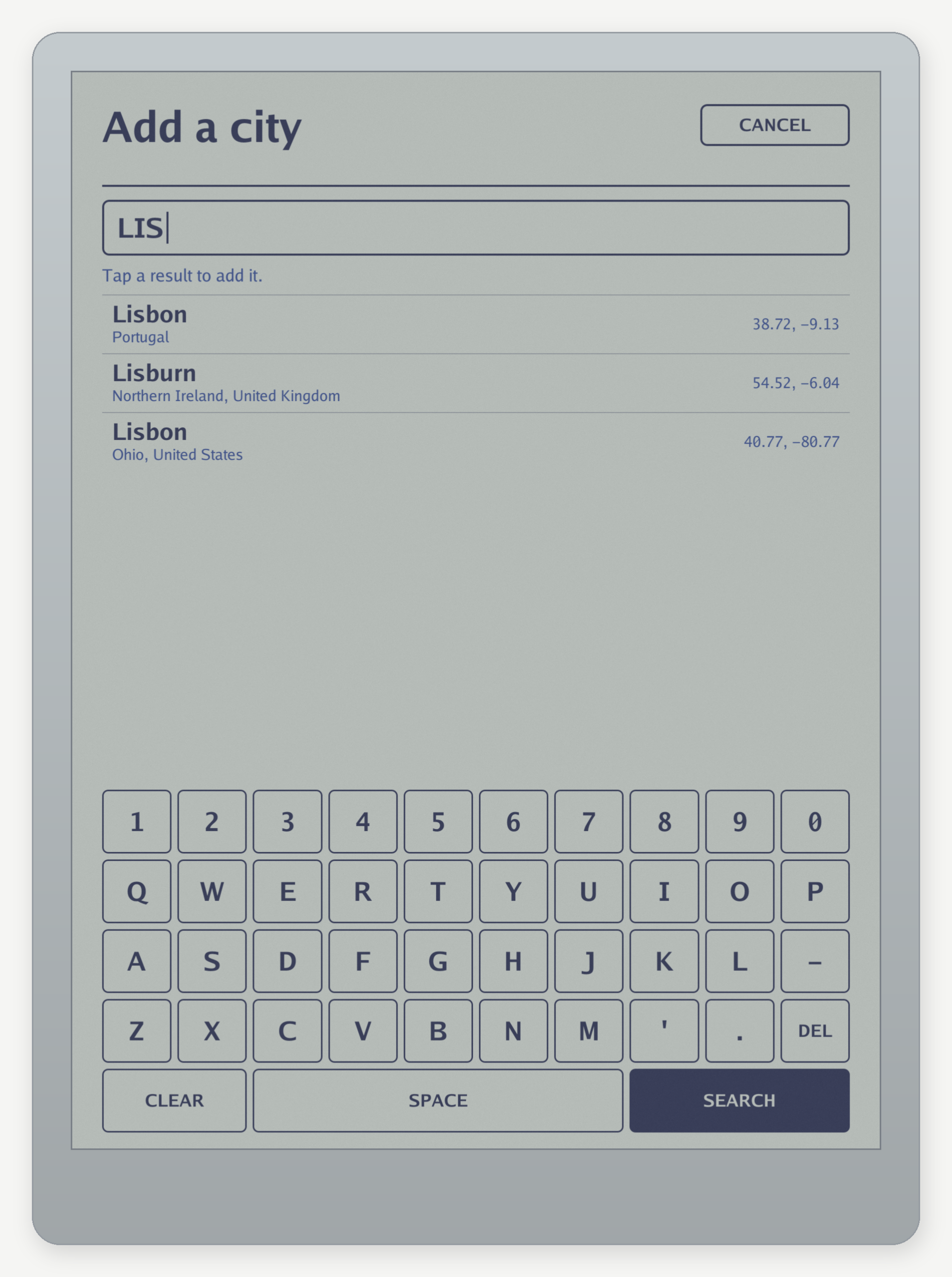
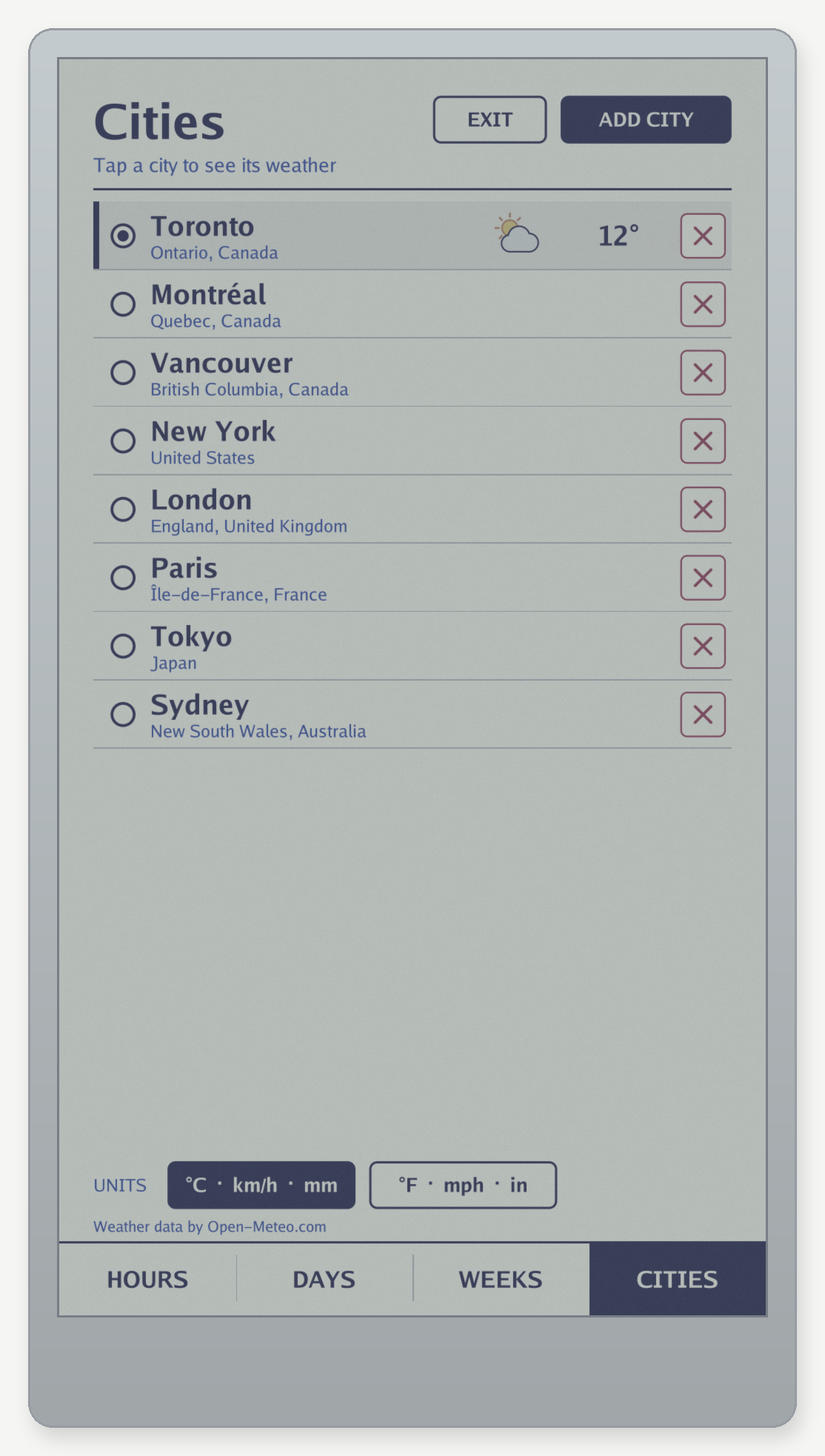
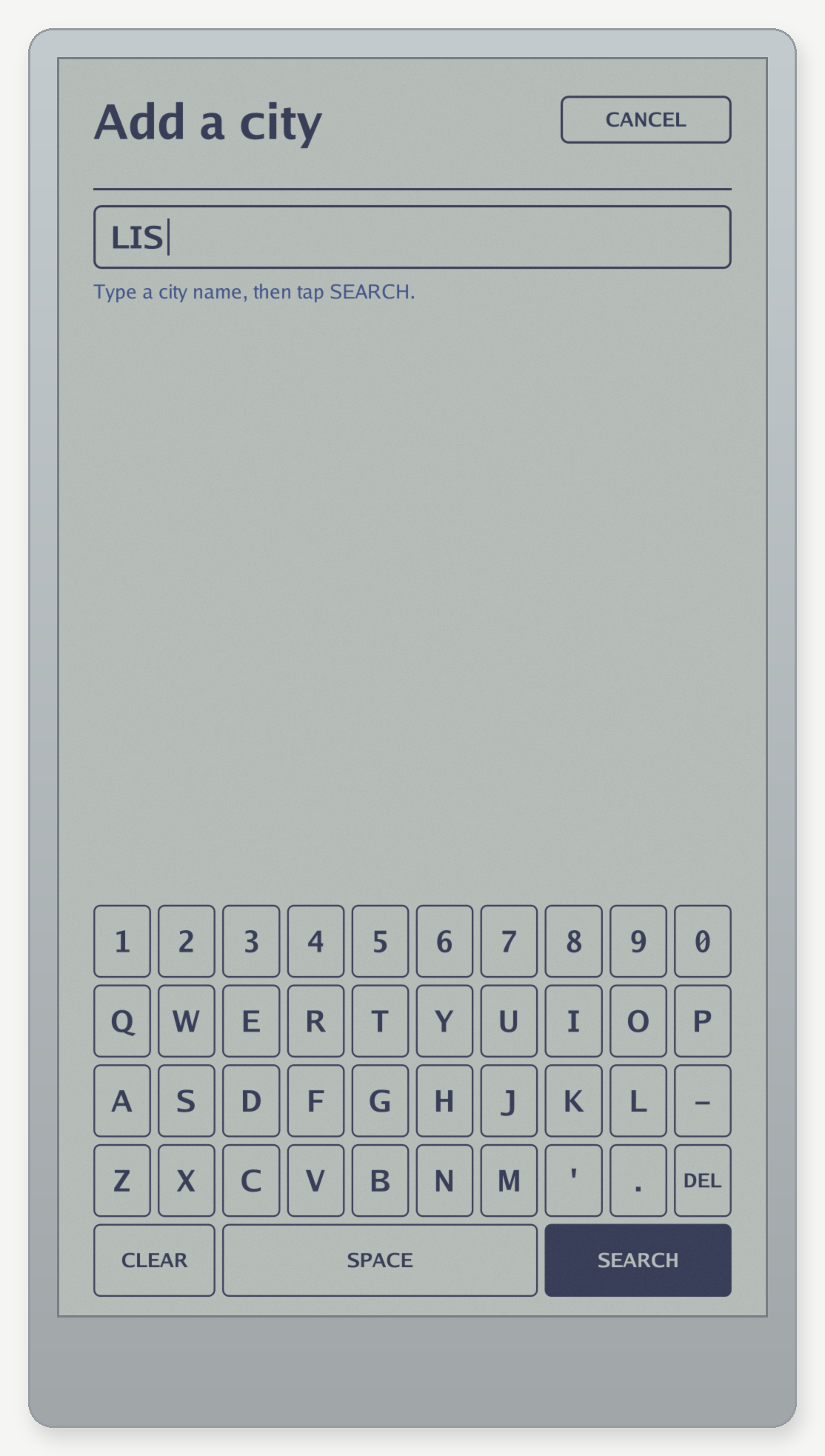
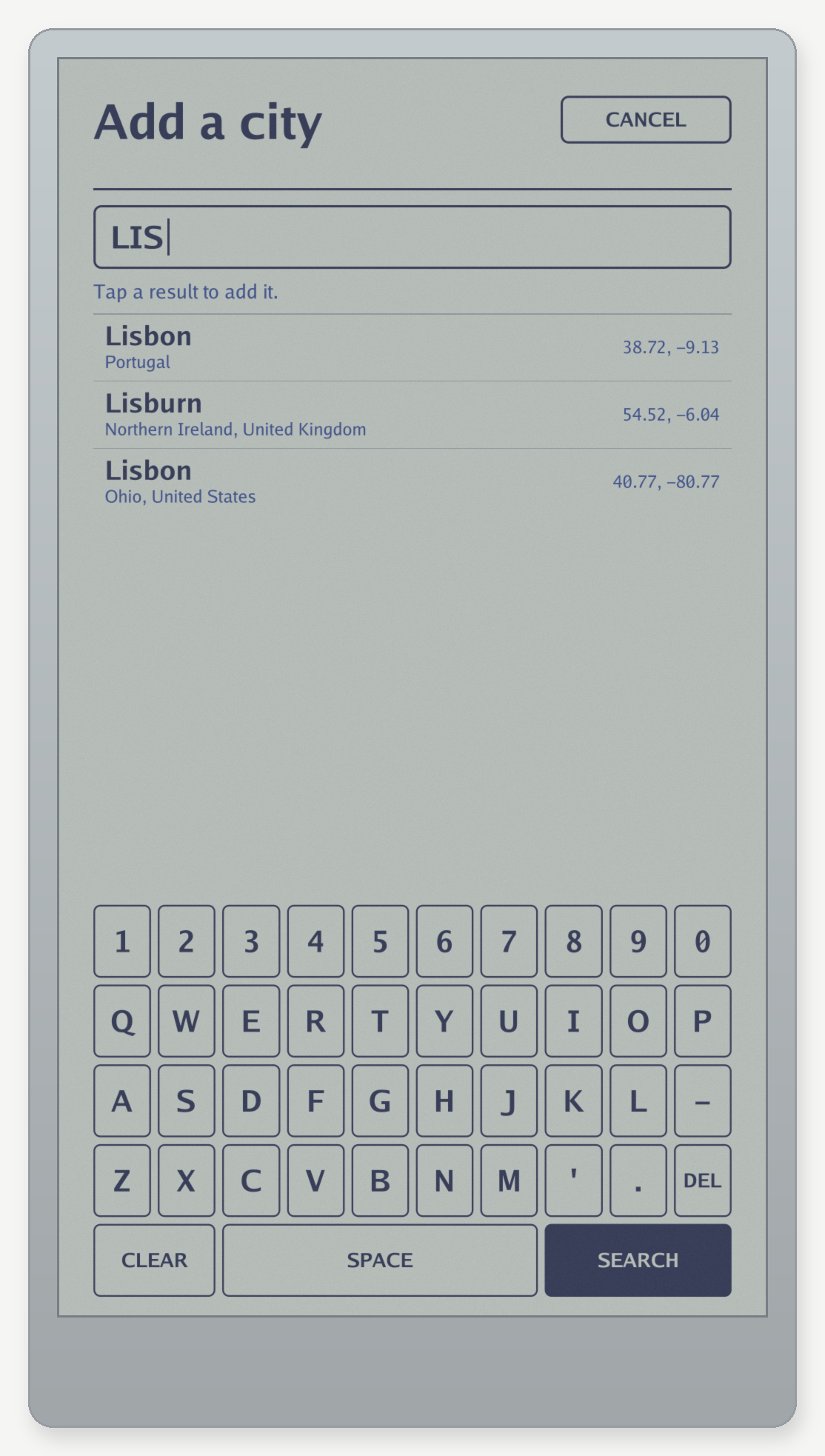
- Cities: keep a list of your favourite places, add any city with the on-screen keyboard, and switch between them with one tap.
Made for e-ink
- Bold, high-contrast colours chosen to stay readable on the reMarkable’s colour display
- Extreme heat, extreme cold and strong winds highlighted in red, so they stand out at a glance
- Your last forecast is saved, so the app opens with data even when you’re offline, like at the cottage or on the trail
- Celsius or Fahrenheit, km/h or mph, mm or inches
Details
- Works on both the reMarkable Paper Pro and the Paper Pro Move, with a layout made for each screen
- No account, sign-up or API key needed
- Forecast refreshes automatically every 30 minutes, or tap REFRESH anytime
- Requires AppLoad (see our “Before you begin” guide)
- Weather data by Open-Meteo.com
How to install
Download the ZIP
After purchase, you'll receive a download link by email. Save the ZIP file to your computer.
Connect your tablet
Connect your reMarkable Paper Pro to your computer via USB and connect the TabletBob Installer.
Copy the files
Install the app via the Tablet Bob Installer. Find how to install our Free AppLoader: Get Tablet Ready
Open the AppLoad Store
Open or Reload the AppLoad Store using the reload arching arrows. Enjoy.
TabletBob apps are third-party tools not affiliated with, endorsed by, or supported by reMarkable AS. Install at your own discretion. We are not responsible for any issues arising from use of these apps on your device.