
Stocks
Follow the companies you care about on your reMarkable's colour e-ink screen: live prices, today's moves, charts up to five years, and a market overview of indices, currencies, commodities and bitcoin.
$6.99
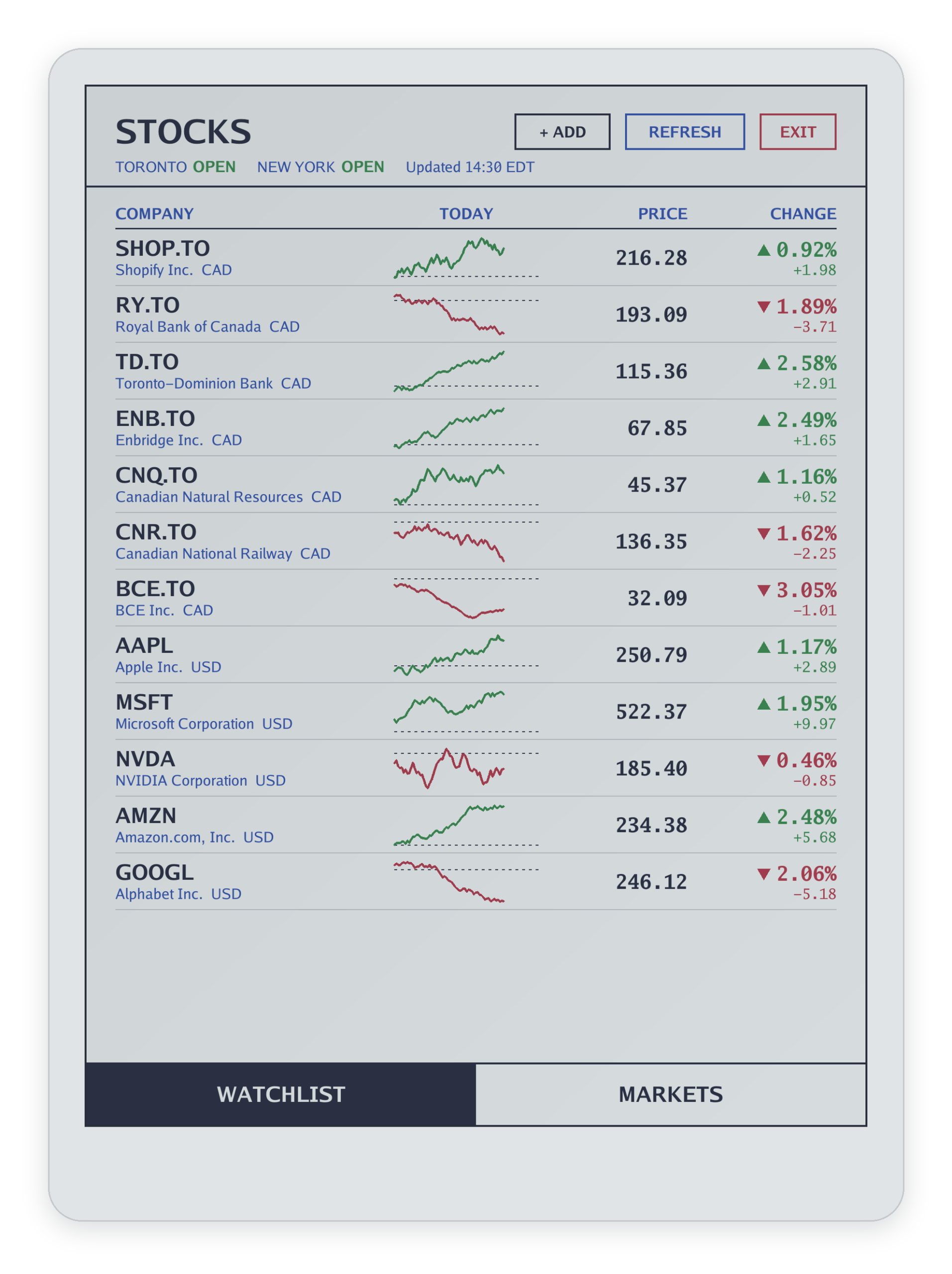
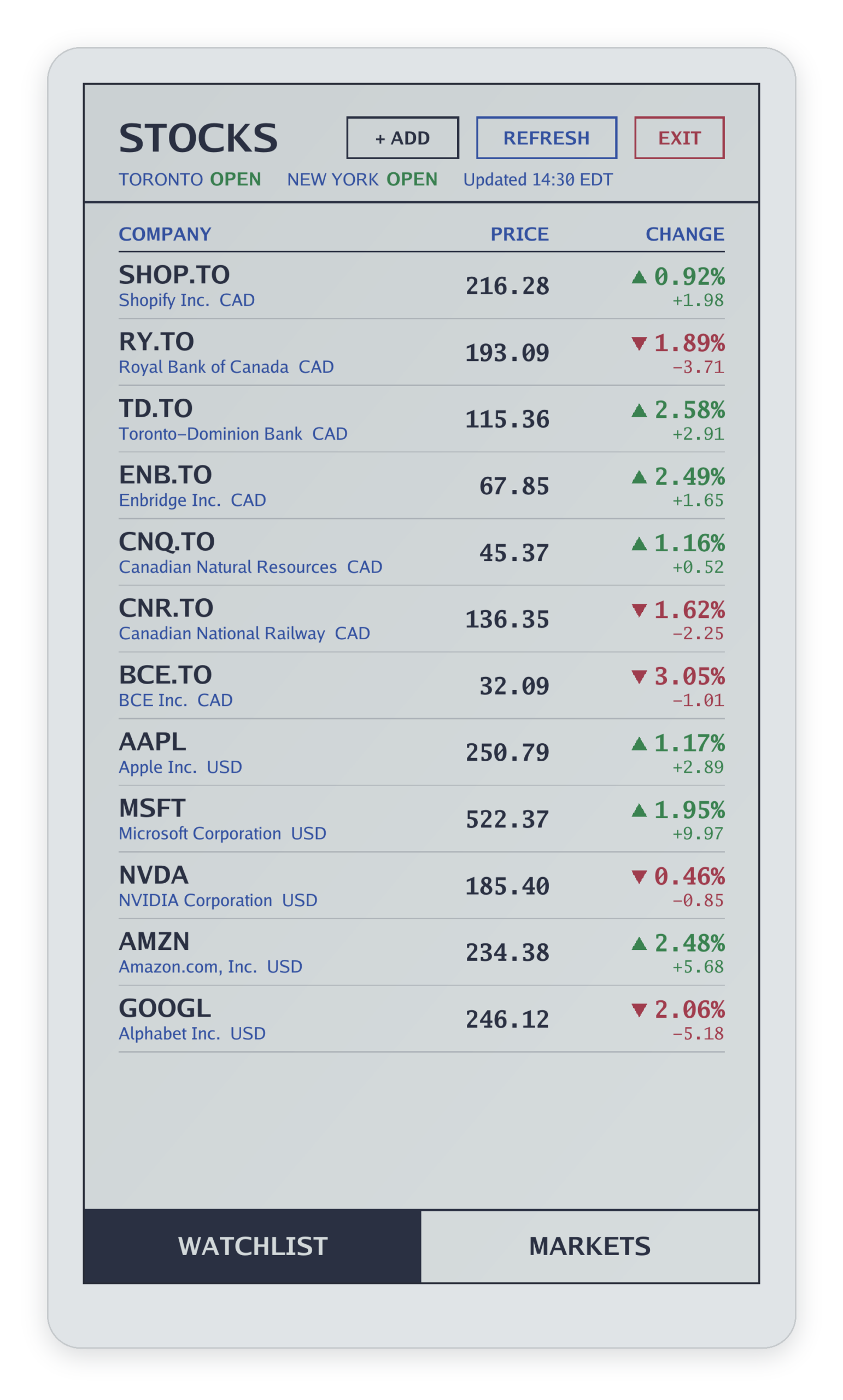
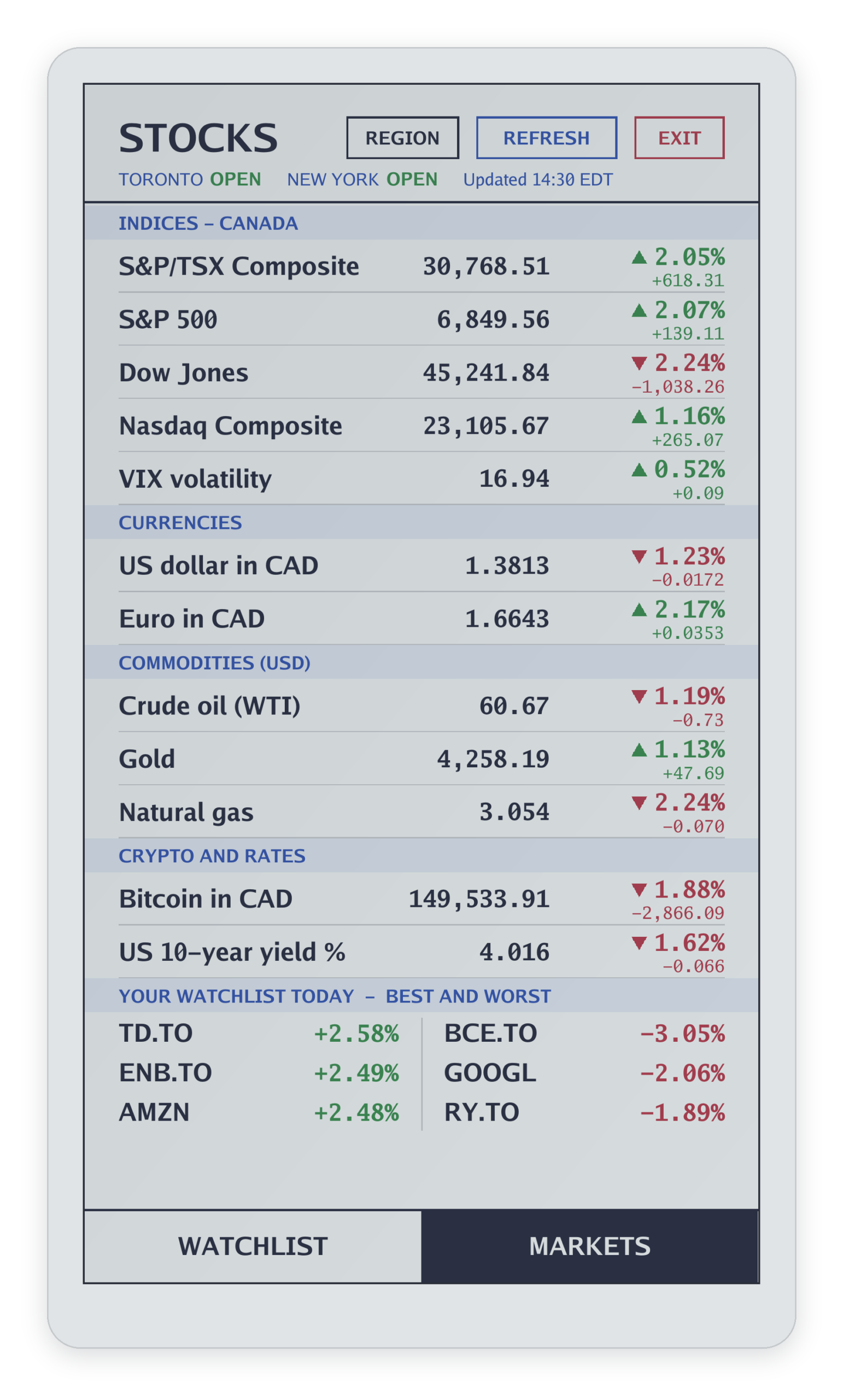
Stocks puts a calm, readable market screen on your reMarkable. Open it with your morning coffee and see at a glance how your companies are doing, with gains in green, losses in red and a small chart of today’s trading next to every price.
YOUR WATCHLIST
– Every company on one page: price, change in dollars and percent, and a line of today’s trading
– Toronto and US listings side by side, each in its own currency (CAD or USD)
– Starts with well-known TSX and US names, and is easy to make your own
ADD THE COMPANIES YOU WANT
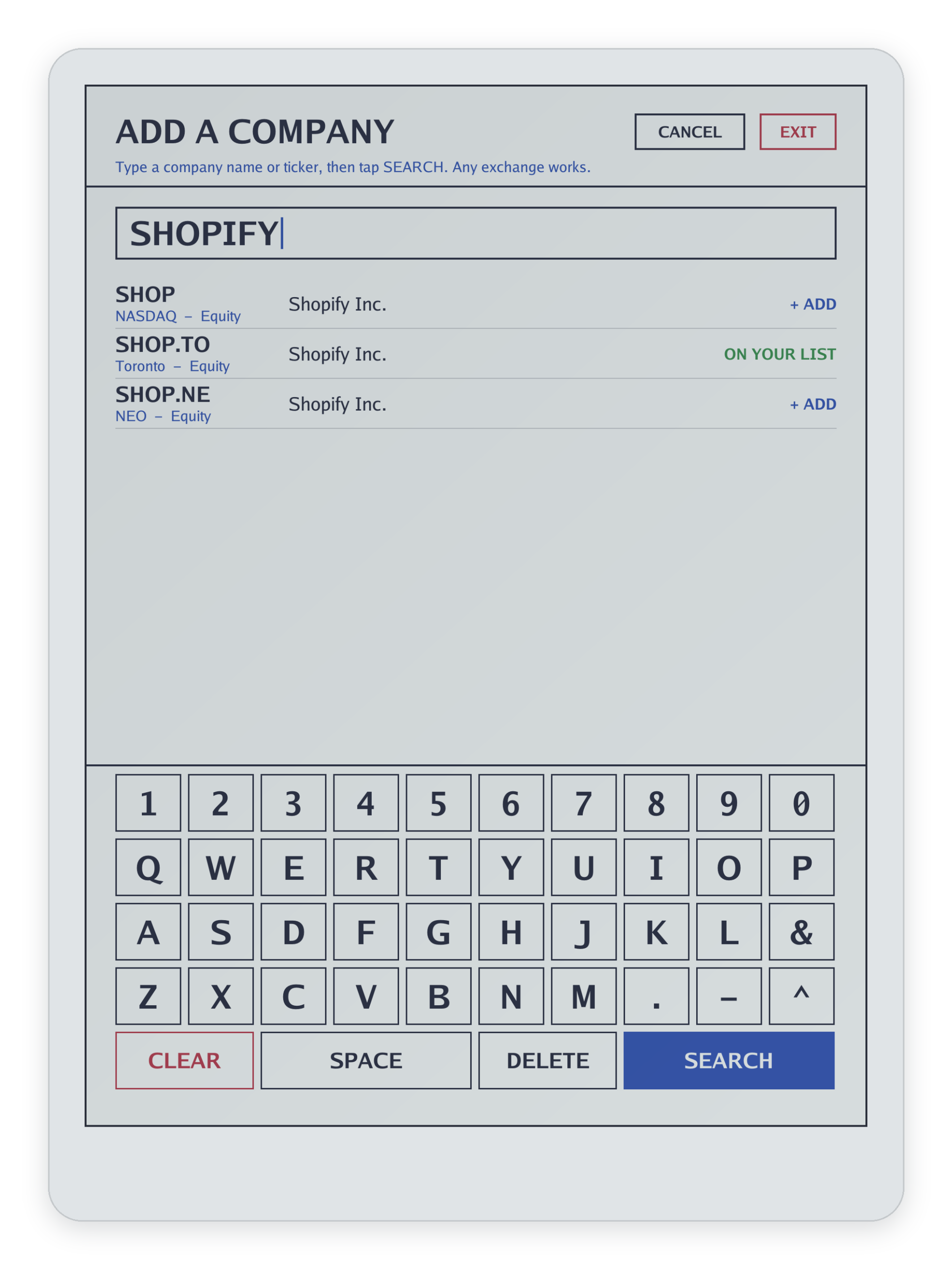
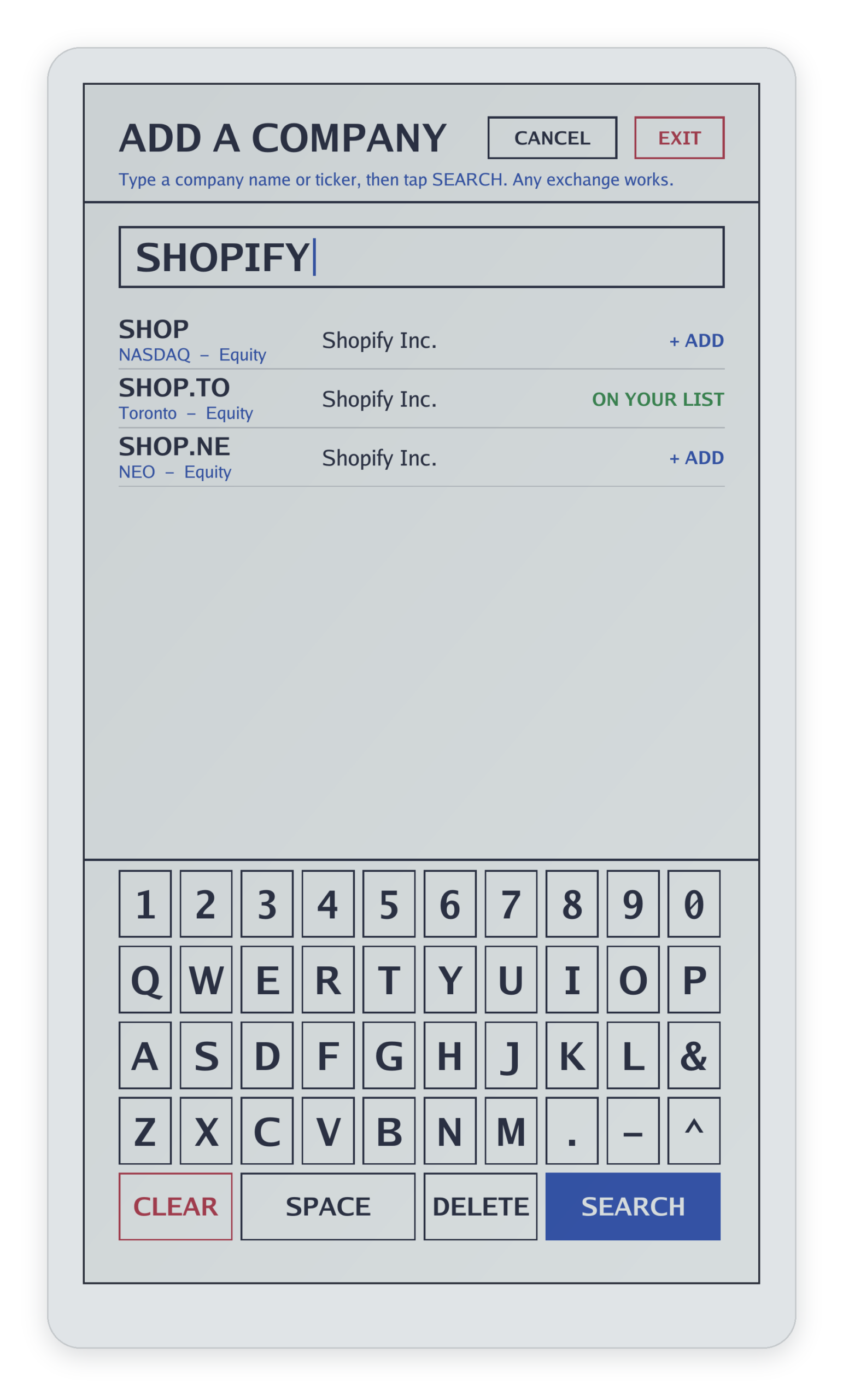
– Tap + ADD and type a company name or ticker on the on-screen keyboard
– Pick the right listing from the results (for example Shopify on Toronto or on NASDAQ)
– Remove any company from its chart page with one tap
– Your list is saved on the tablet and stays put when you update the app
CHARTS
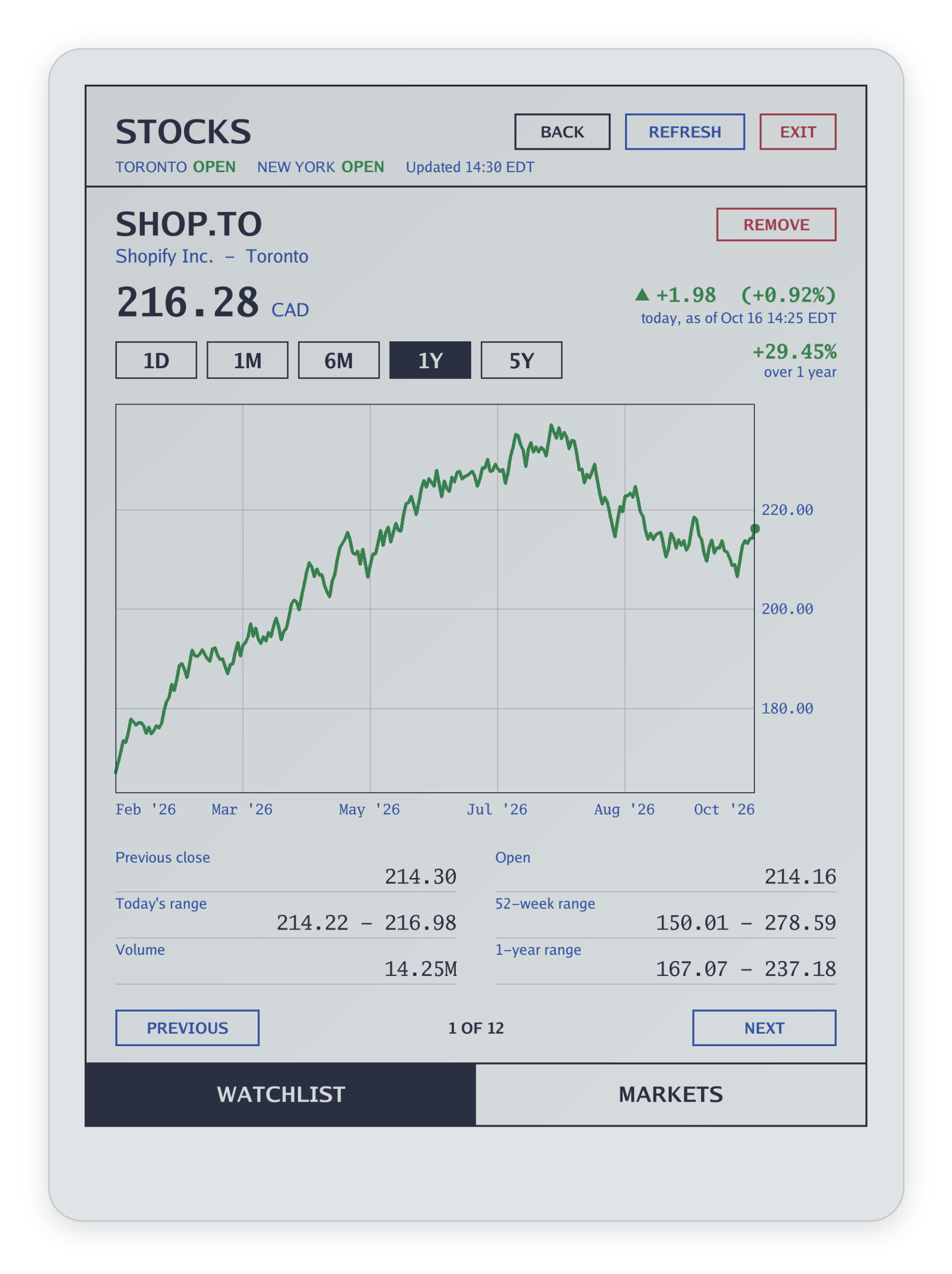
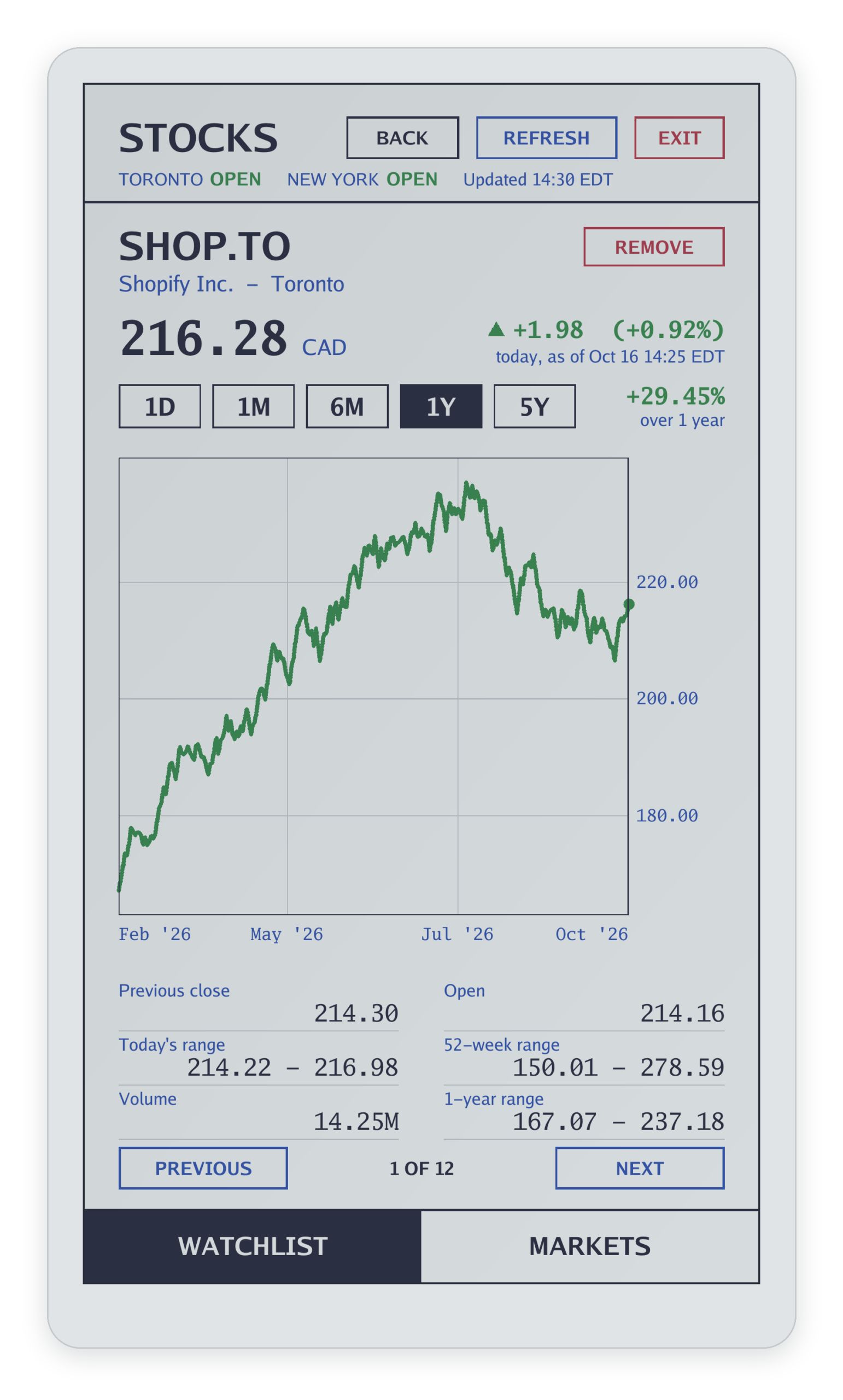
– Tap any company for a full-page chart: 1 day, 1 month, 6 months, 1 year or 5 years
– See the change over the period you picked, plus the previous close, open, today’s range, 52-week range and volume
– Step through your list with PREVIOUS and NEXT, no need to go back
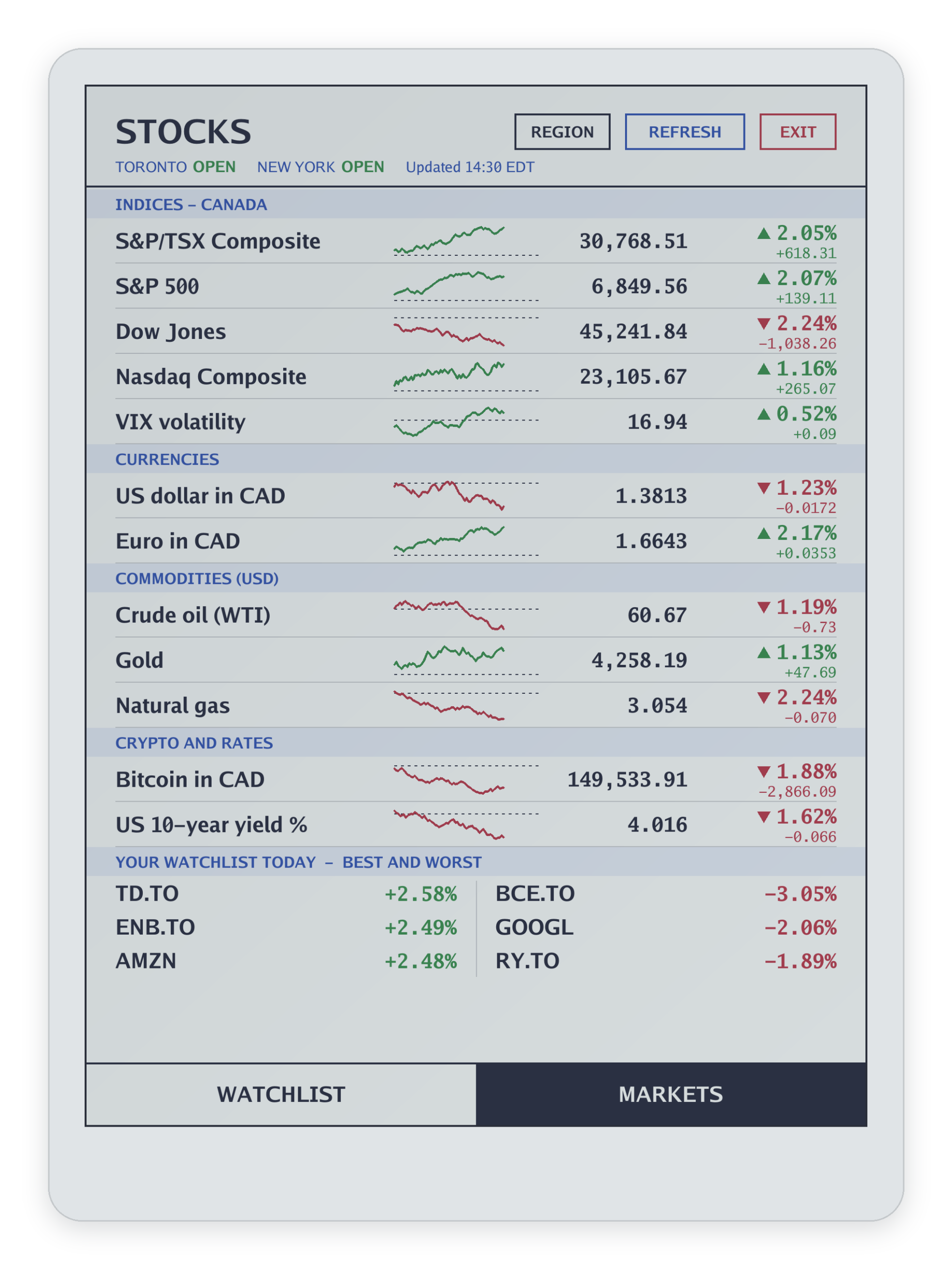
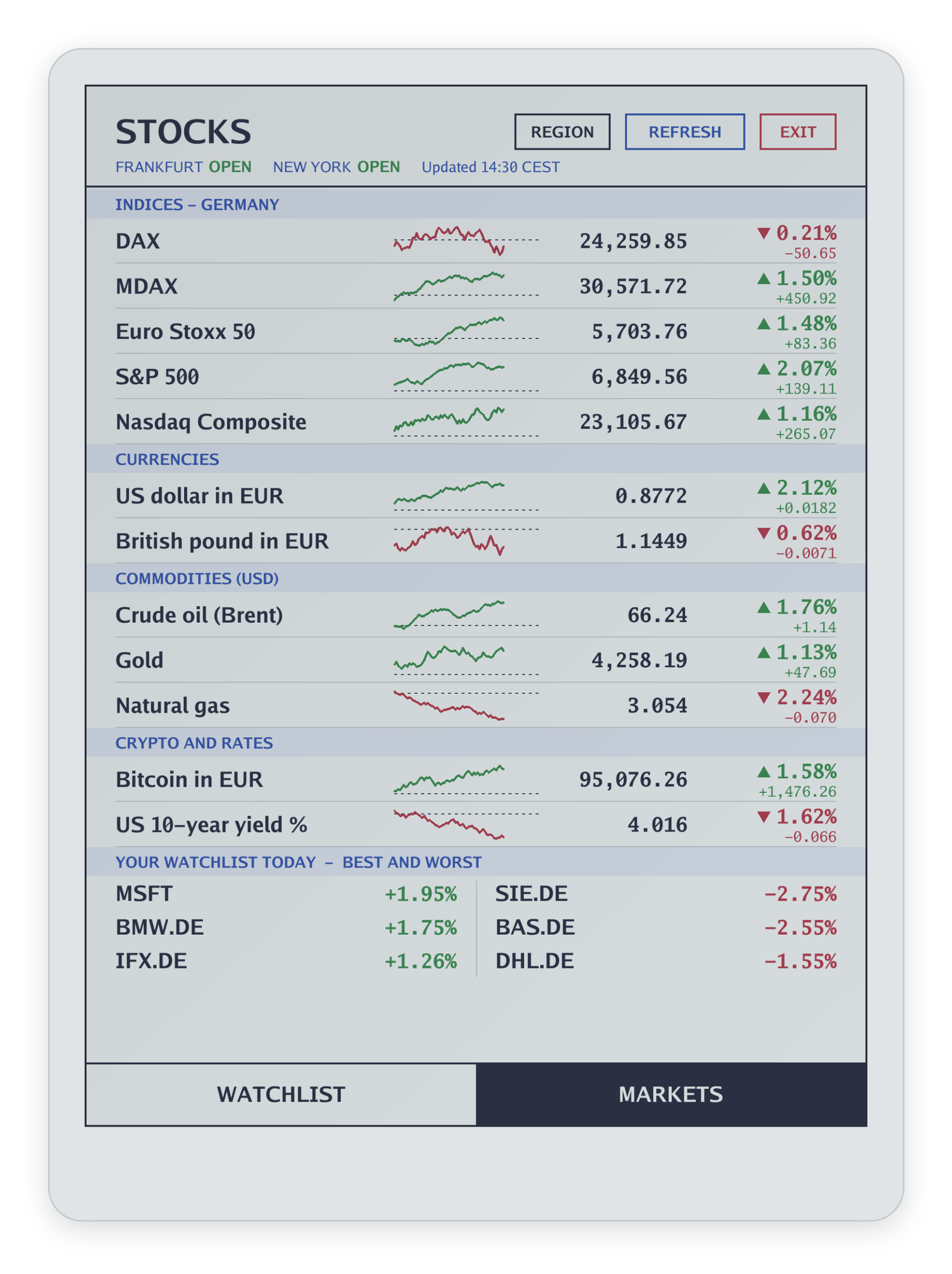
MARKETS AT A GLANCE
– S&P/TSX Composite, S&P 500, Dow Jones, Nasdaq and the VIX
– US dollar and euro in Canadian dollars
– Crude oil, gold and natural gas
– Bitcoin in Canadian dollars and the US 10-year yield
– The three best and three worst performers on your own watchlist today
MADE FOR E-INK
– Large, high-contrast text and clear green and red colours chosen for the colour e-ink screen
– Shows whether the Toronto and New York markets are open
– Updates every 2 minutes while markets are open, every 15 minutes otherwise, or whenever you tap REFRESH
– Only the changed rows redraw, so the screen stays crisp; tap any empty area for a full refresh
– One app for both the Paper Pro and the Paper Pro Move, with a layout made for each screen
– EXIT button on every screen
Good to know
– Requires a Wi-Fi connection.
How to install
Download the ZIP
After purchase, you'll receive a download link by email. Save the ZIP file to your computer.
Connect your tablet
Connect your reMarkable Paper Pro to your computer via USB and connect the TabletBob Installer.
Copy the files
Install the app via the Tablet Bob Installer. Find how to install our Free AppLoader: Get Tablet Ready
Open the AppLoad Store
Open or Reload the AppLoad Store using the reload arching arrows. Enjoy.
TabletBob apps are third-party tools not affiliated with, endorsed by, or supported by reMarkable AS. Install at your own discretion. We are not responsible for any issues arising from use of these apps on your device.