
Calendar Planner
Calendar and PDF handwriting in synch with Google, Yahoo, Outlook calendars. First Standalone calendar for your reMarkable Paper Pro that builds a hyperlinked planner notebook, then shows the notes you write next to every day and meeting.
$8.99
Full app, free for 3 days. No account or payment needed. It installs the same way as the paid version (see Get Tablet Ready). Buy any time to keep using it.
Plan on paper. Keep it in sync.
Planner turns your reMarkable into the paper planner it was meant to be, with your real schedule inside it. No phone needed to check your day.
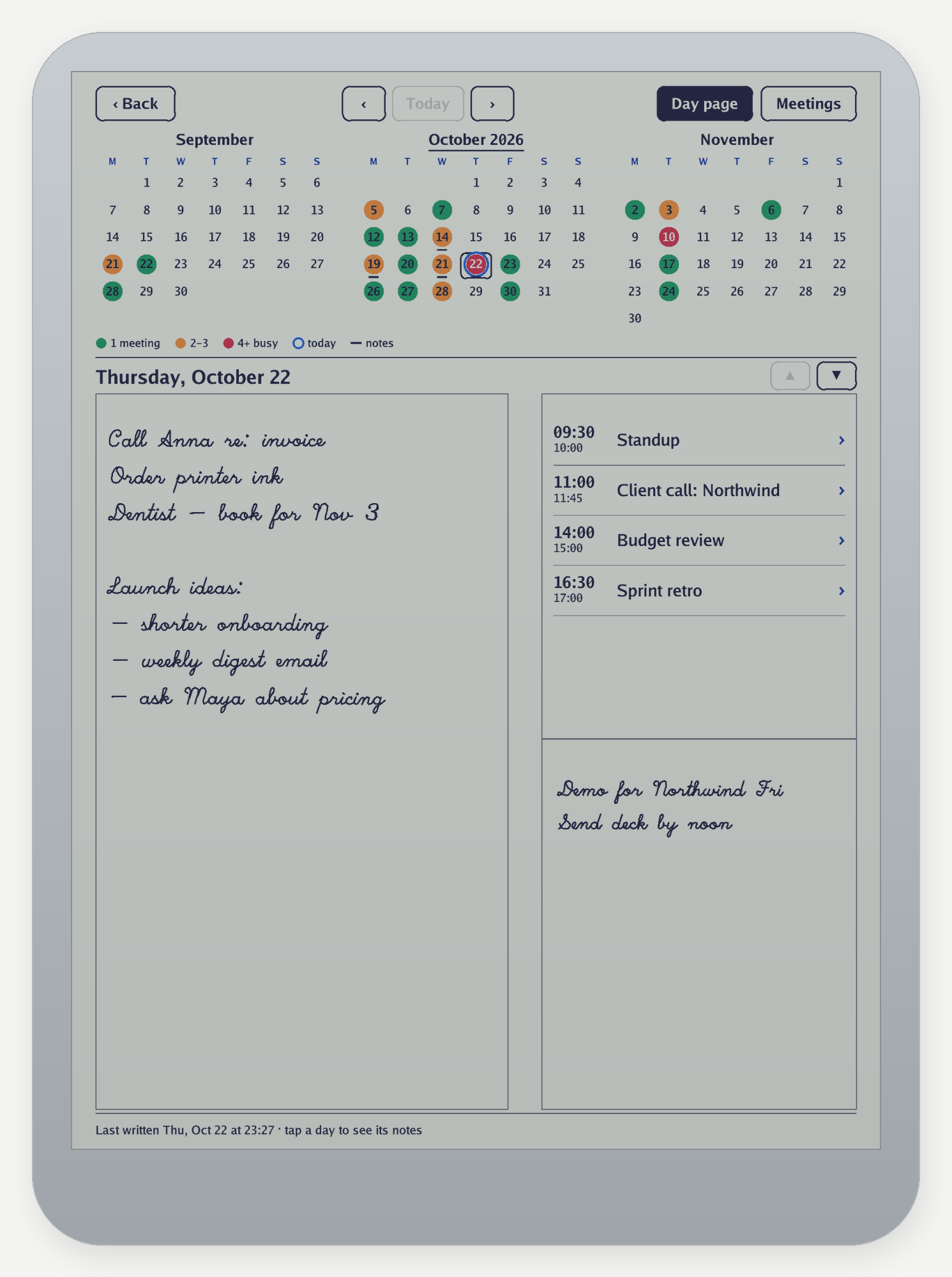
See your schedule at a glance
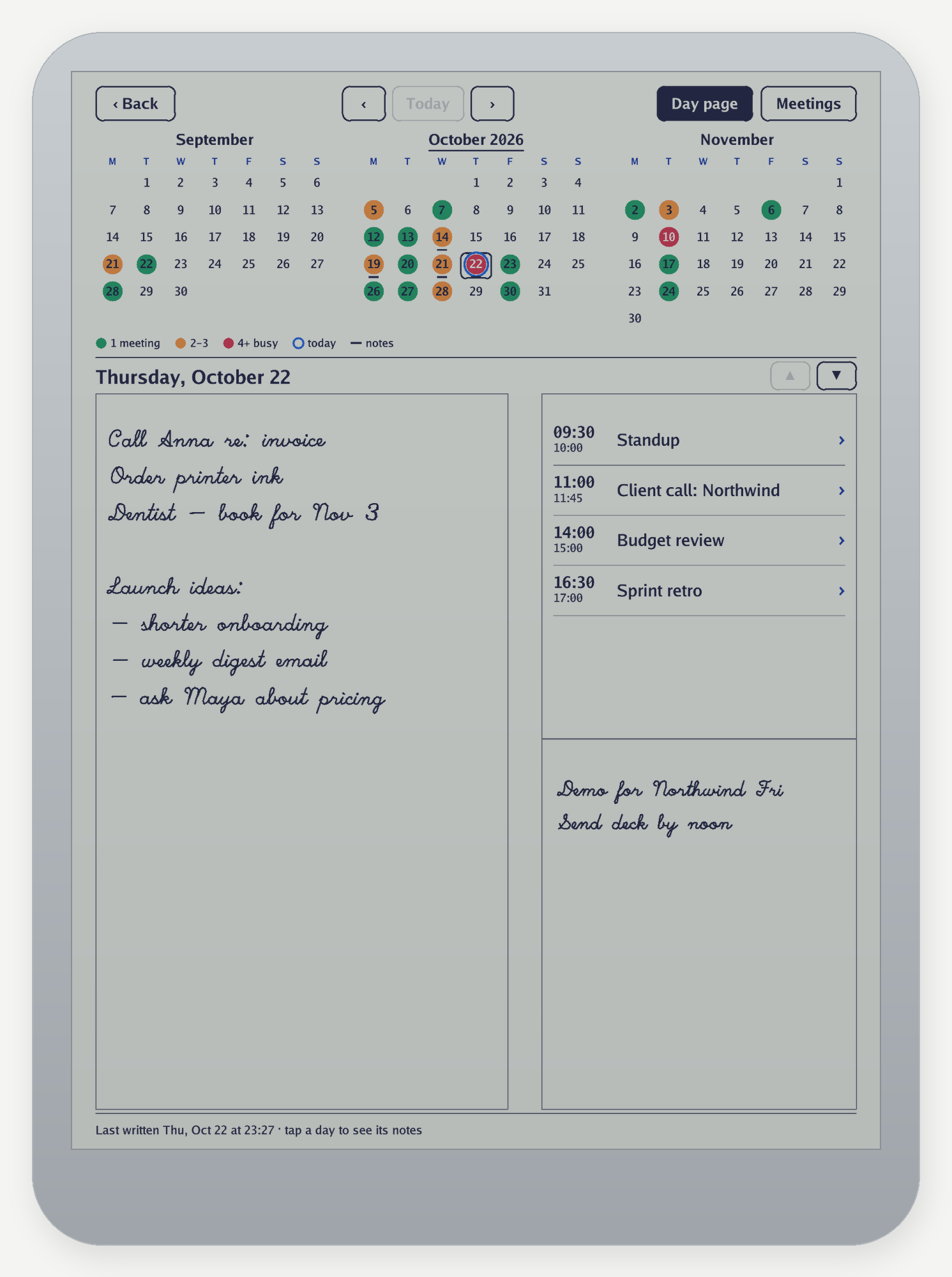
Three months on one screen. Each day is coloured by how busy it is: green for light, orange for full, red for back-to-back. Today is circled in blue. Tap any day to see its meetings and your notes.
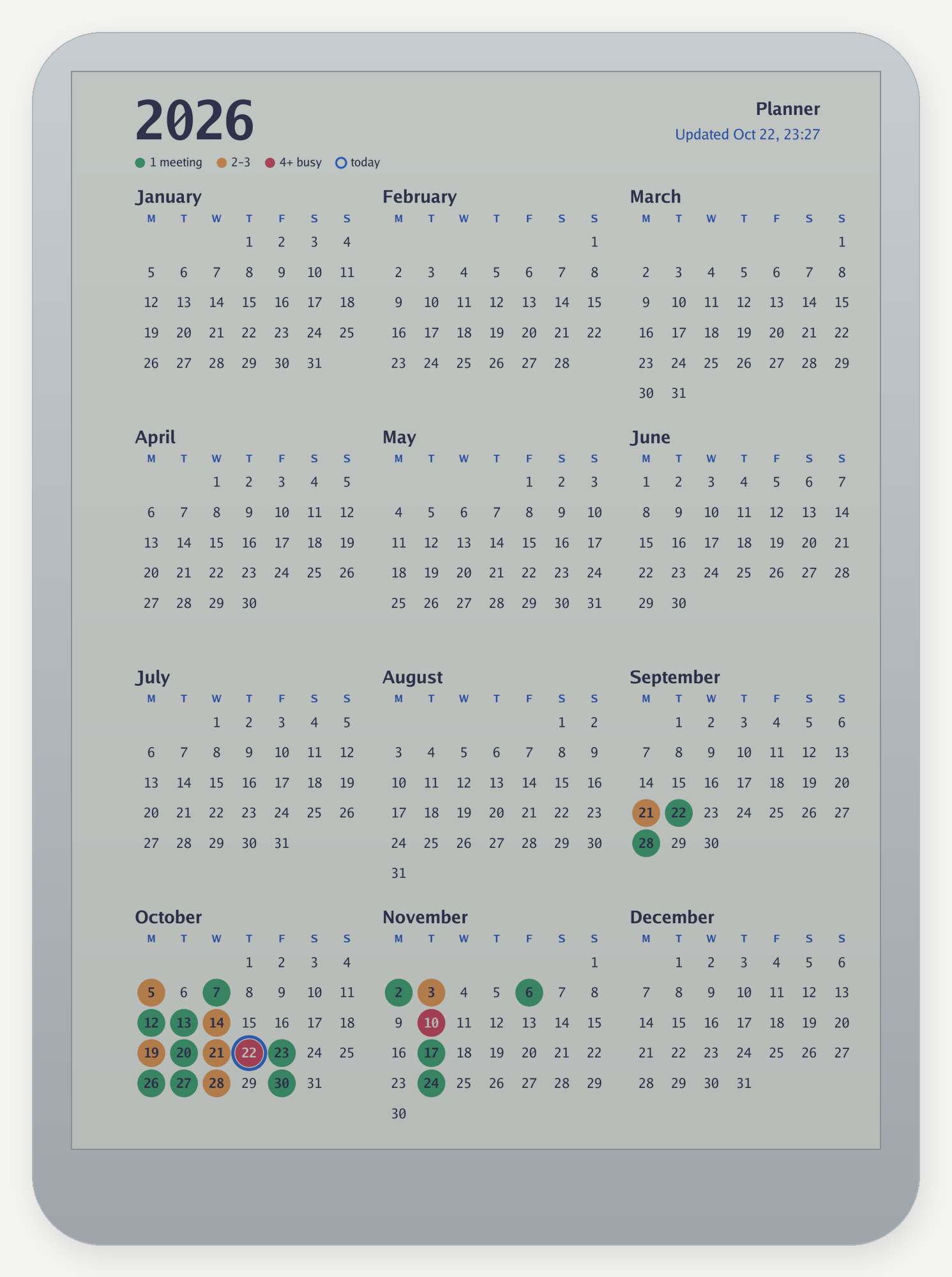
A planner notebook, built for you
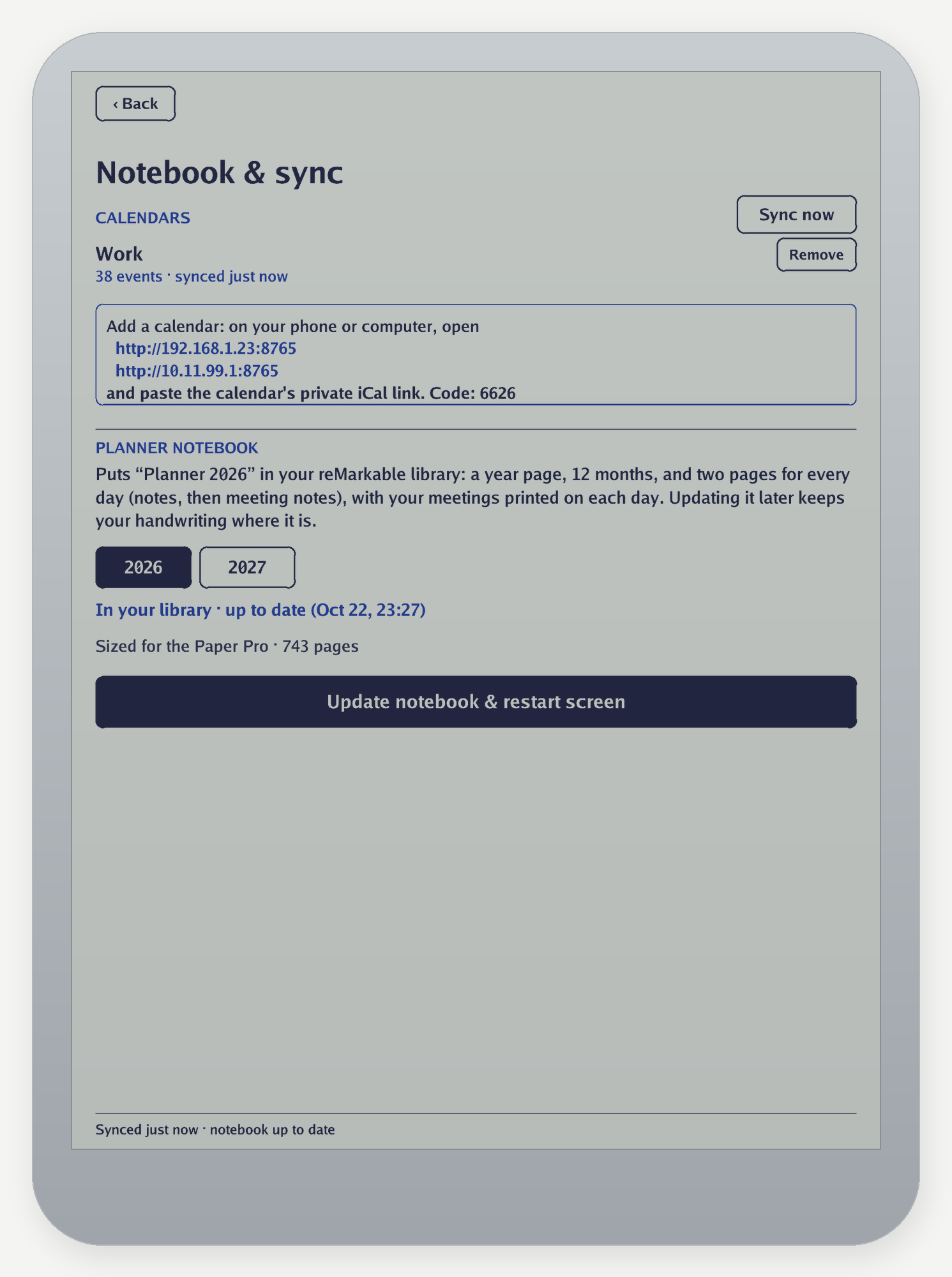
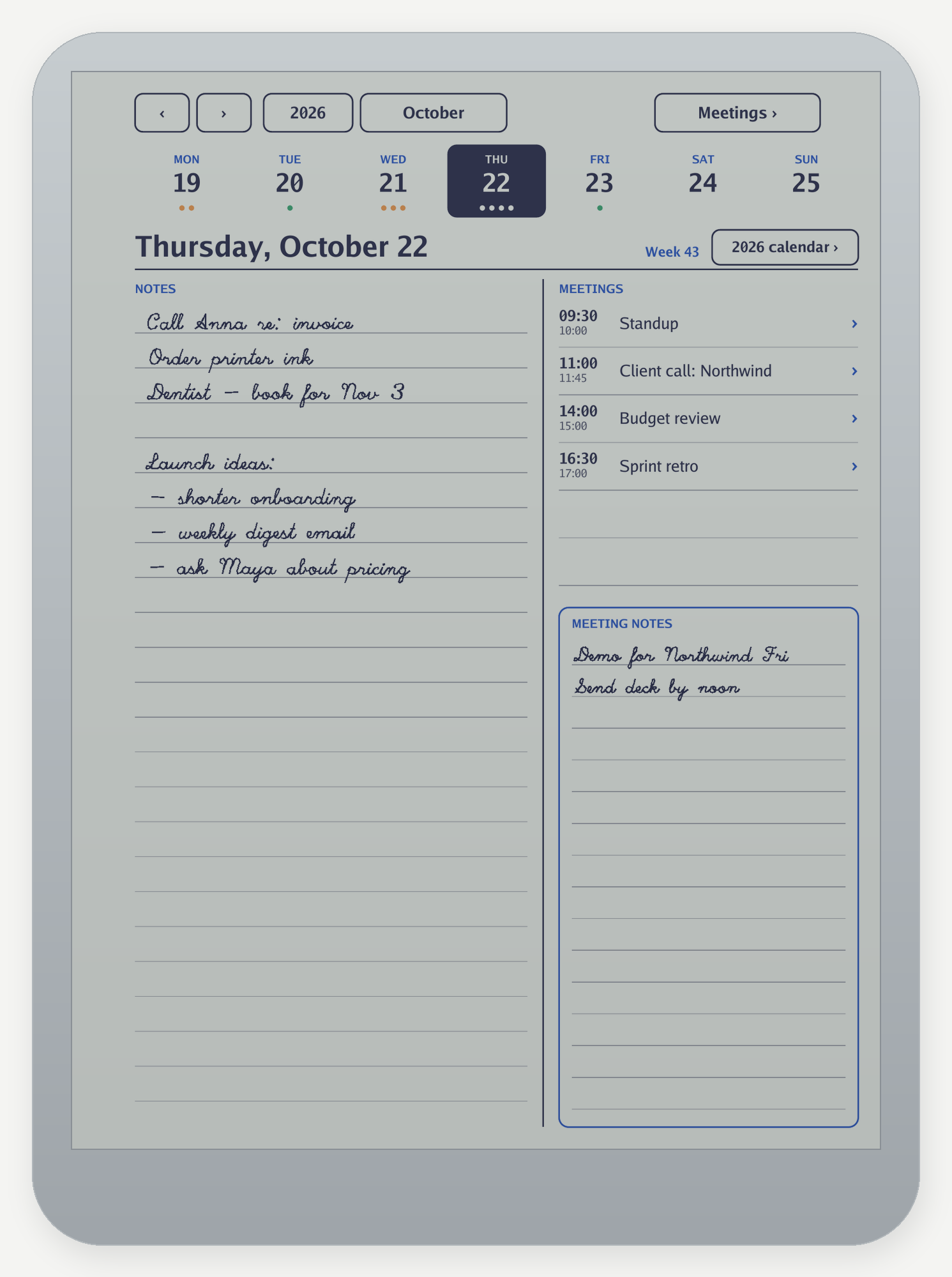
One tap puts a hyperlinked planner in your reMarkable library, with a year page, twelve months and two pages for every day. Your meetings are printed in, and every page is one tap away.
Write the way you always do
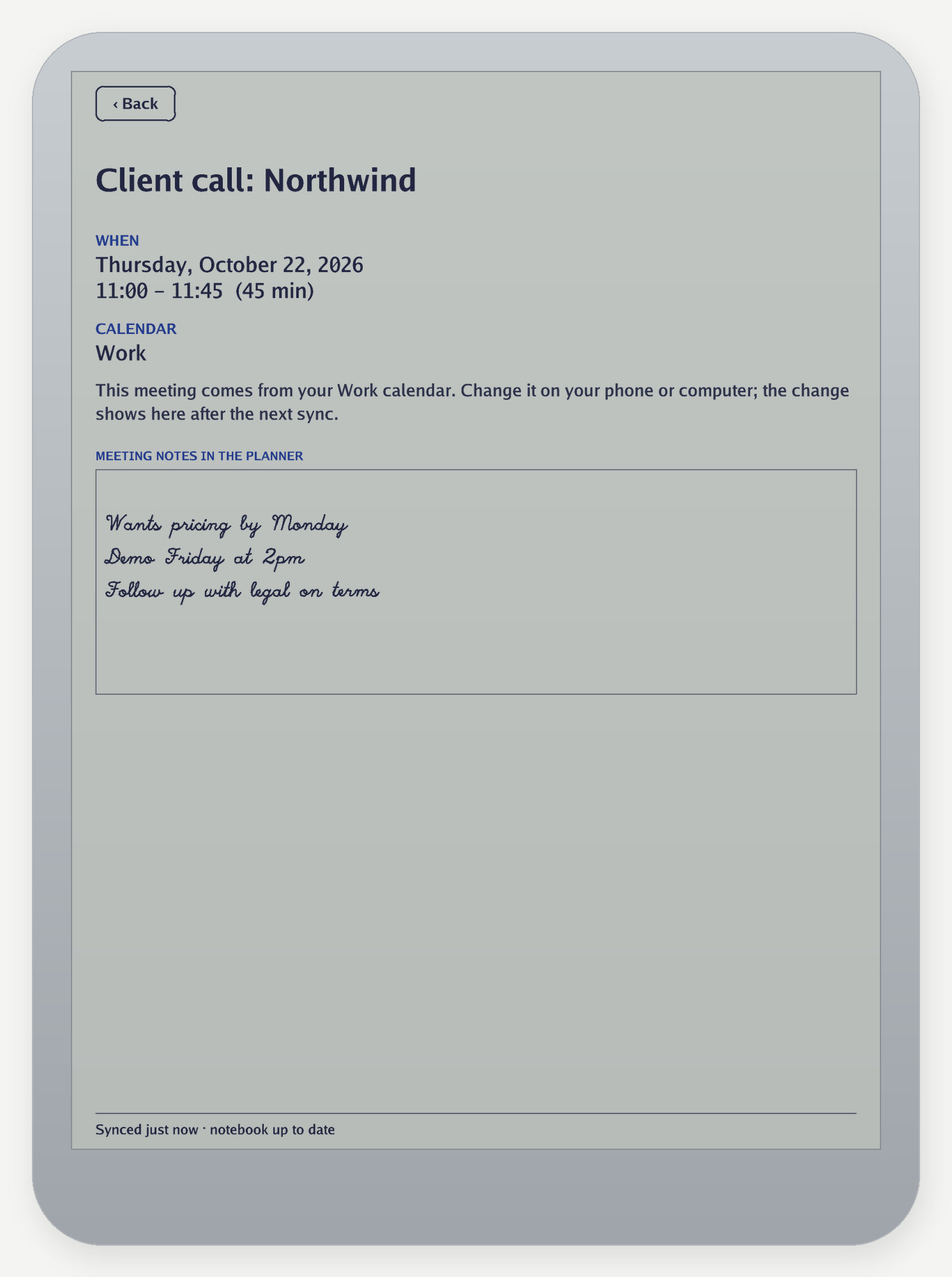
Day notes on the left, meetings on the right, and a notes space for every meeting. Everything you write shows up in the app, next to the right day and the right meeting. Notes stay with their meeting even when your schedule changes.
Your calendars, included
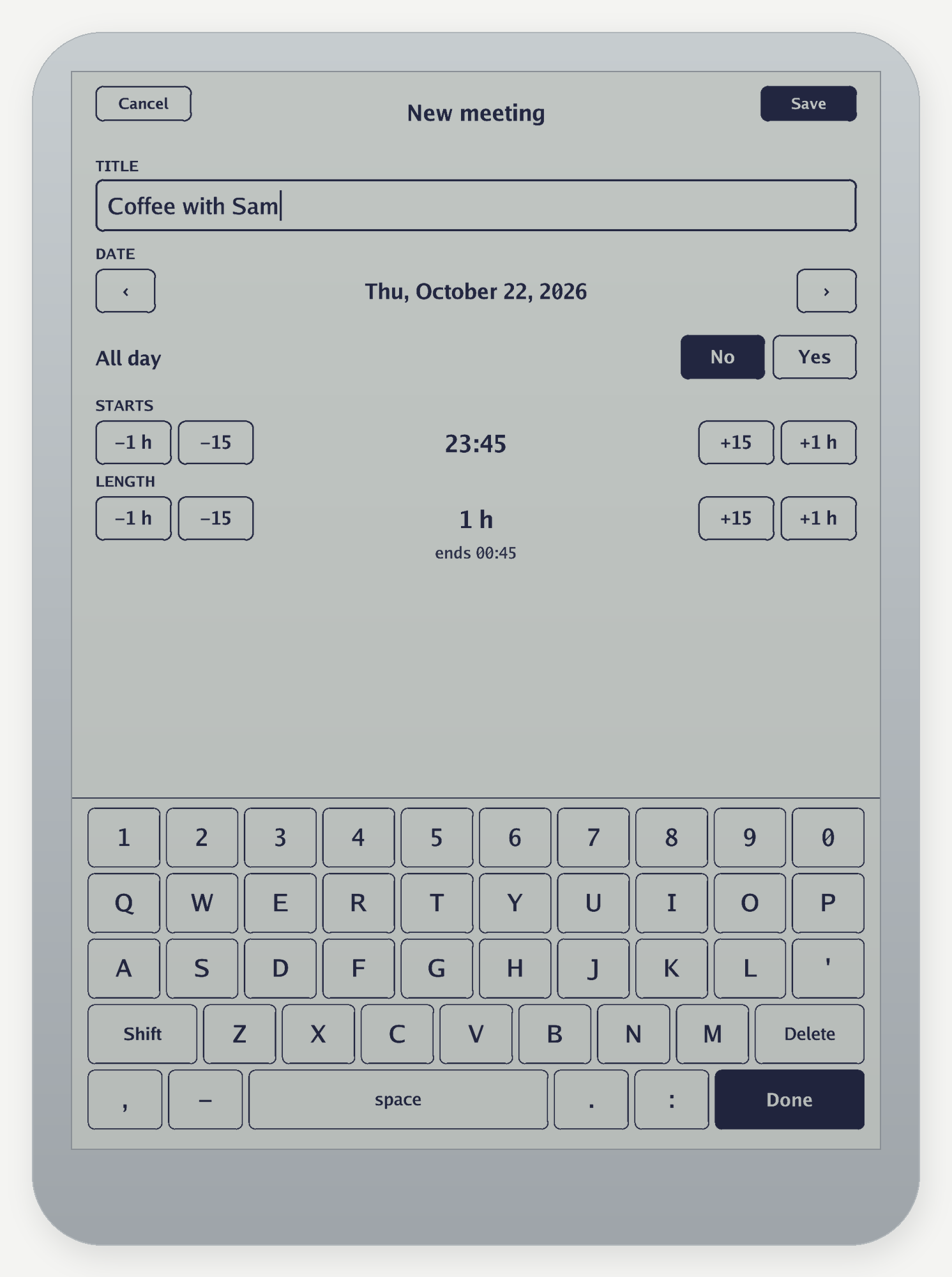
Add meetings right on the tablet, or link your Google, iCloud or Outlook calendar from your phone in seconds. Recurring meetings are included.
Made for e-ink
High contrast, compact and calm: no flashing while you type or tap. It works offline, and your notes never leave your tablet.
What’s included
- Three-month calendar with busy-day colours
- Hyperlinked yearly planner notebook (743 pages)
- Day notes and per-meeting notes, shown back in the app
- Google Calendar, iCloud and Outlook import (read-only)
- Add, edit and delete meetings on the tablet
- One download for Paper Pro and Paper Pro Move
Requirements: reMarkable Paper Pro or Paper Pro Move, with developer mode and AppLoad. The TabletBob Installer sets this up for you. Wi-Fi is only needed to sync calendars.
Good to know: imported calendars are read-only. Creating or updating the notebook restarts the reMarkable screen for about 10 seconds. Your handwriting is shown as you wrote it; turning it into typed text isn’t included yet.
Try it free for 3 days. If Planner fits your day, the full version keeps everything you’ve already written.
How to install
Download the ZIP
After purchase, you'll receive a download link by email. Save the ZIP file to your computer.
Connect your tablet
Connect your reMarkable Paper Pro to your computer via USB and connect the TabletBob Installer.
Copy the files
Install the app via the Tablet Bob Installer. Find how to install our Free AppLoader: Get Tablet Ready
Open the AppLoad Store
Open or Reload the AppLoad Store using the reload arching arrows. Enjoy.
TabletBob apps are third-party tools not affiliated with, endorsed by, or supported by reMarkable AS. Install at your own discretion. We are not responsible for any issues arising from use of these apps on your device.