
Money Tracker
Money Tracker is a privacy-first financial logging app. Track income, expenses, and multiple accounts completely offline with custom categories, visual charts, and automatic CSV backups.
$8.99
Full app, free for 3 days. No account or payment needed. It installs the same way as the paid version (see Get Tablet Ready). Buy any time to keep using it.
Money Tracker
Your budget, on paper that thinks.
Money Tracker turns your reMarkable Paper Pro or Paper Pro Move into a simple, distraction-free place to keep track of your money. Write down what you spend and earn, and see where it goes at a glance, with no phone, no account and no cloud required.
What you can do
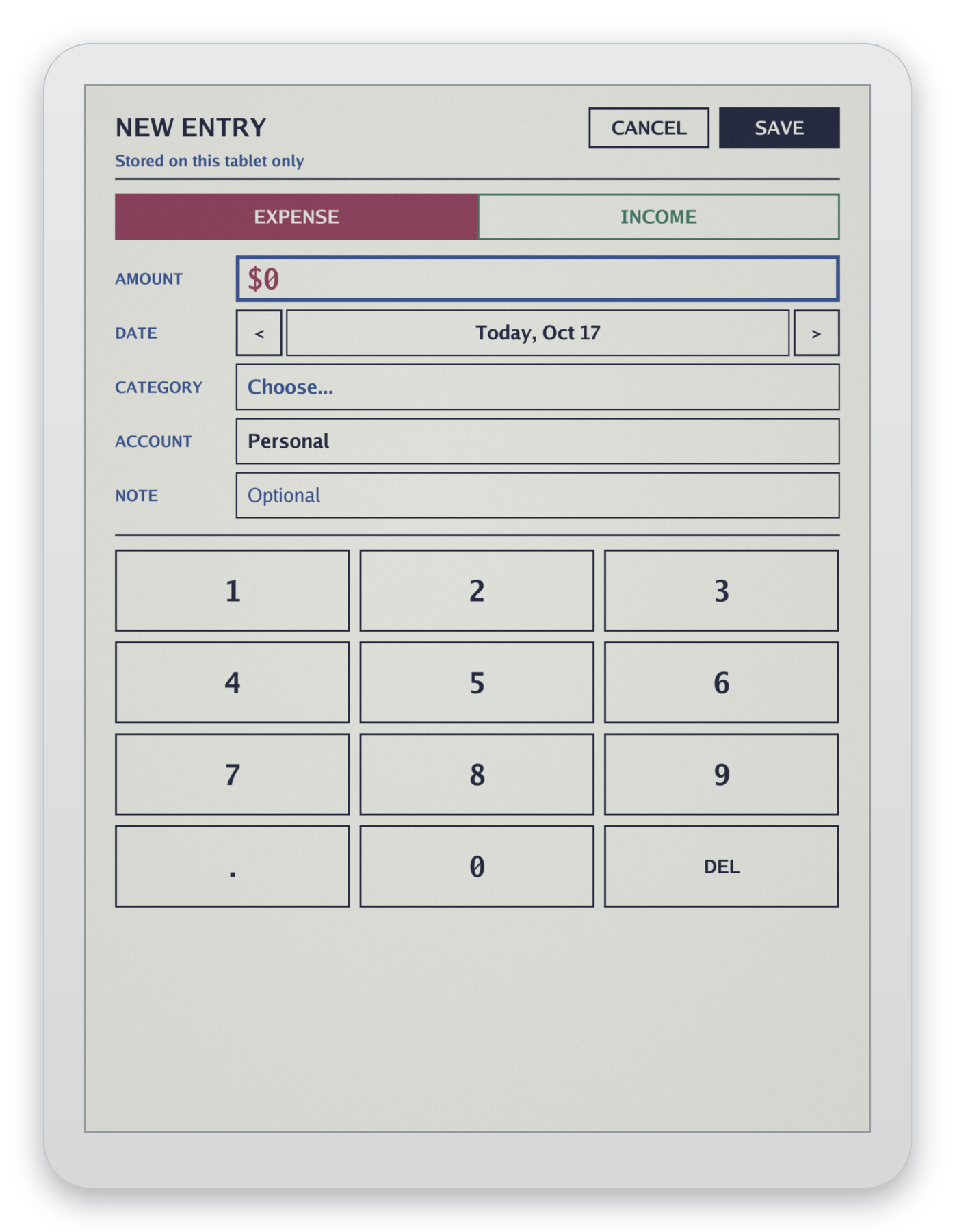
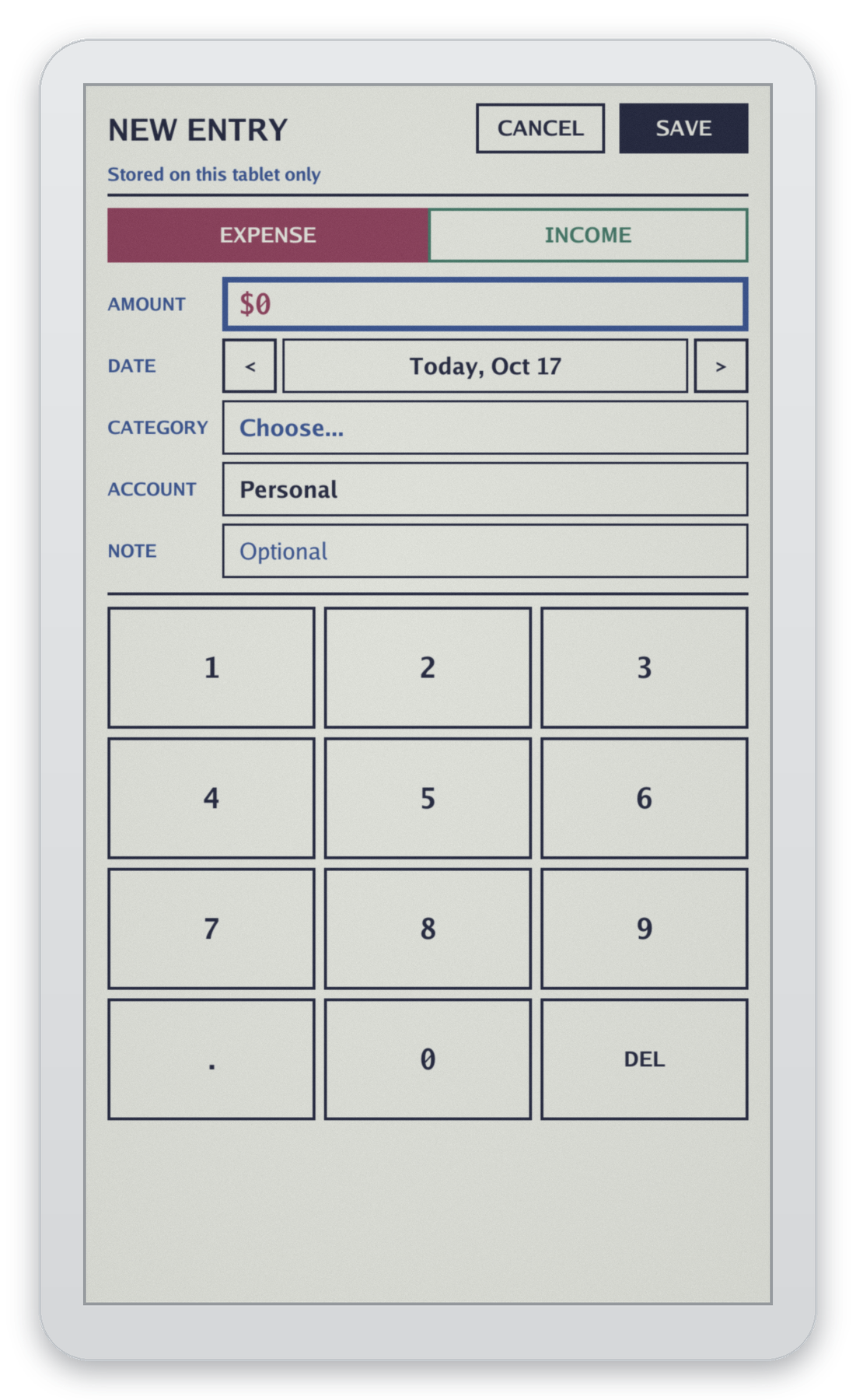
- Add expenses and income in seconds: tap + ADD, type the amount on the large number pad, pick a category and you’re done. Add a note or change the date if you like.
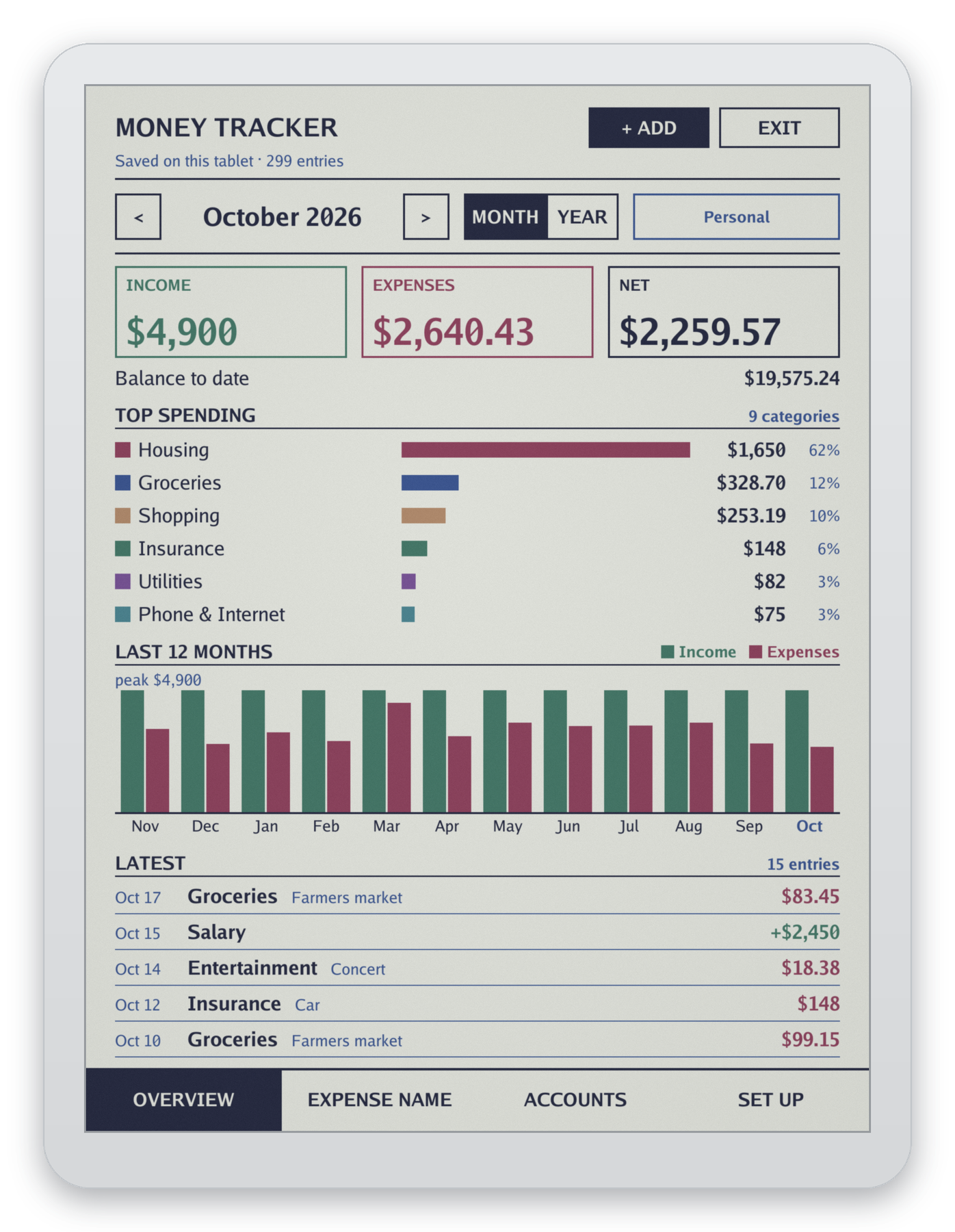
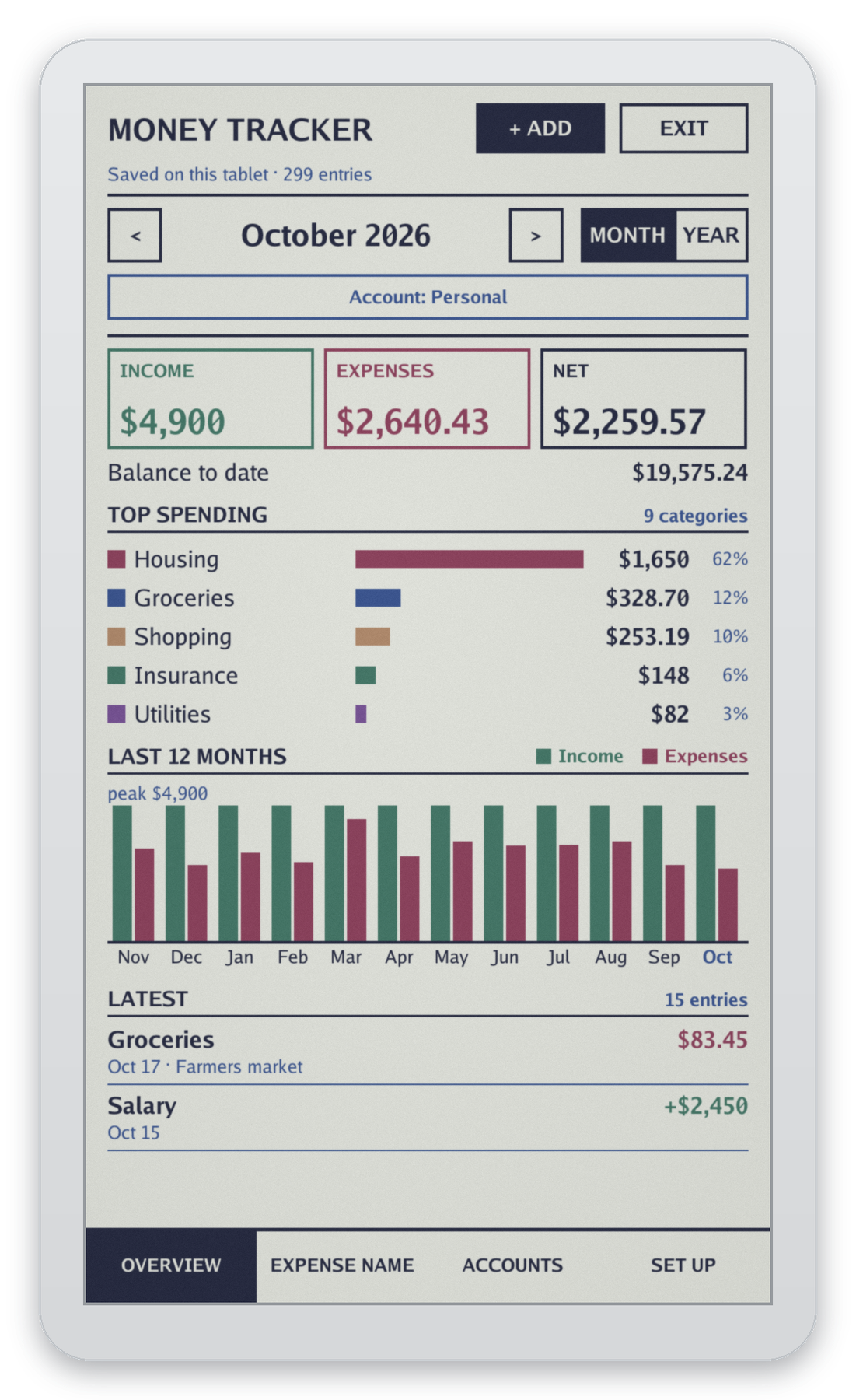
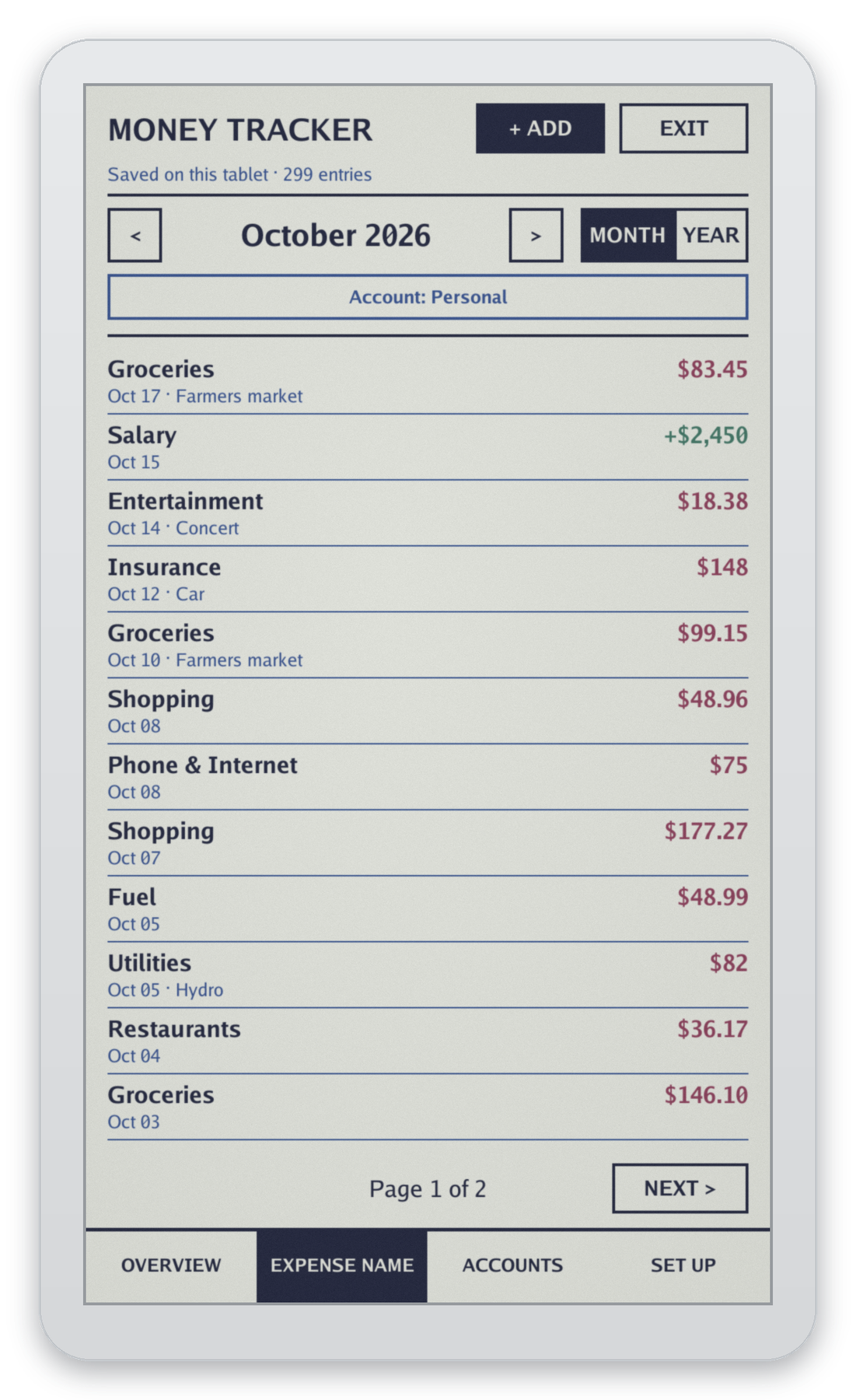
- See your month at a glance: income, expenses and what’s left, your balance, your top spending categories and a 12-month chart.
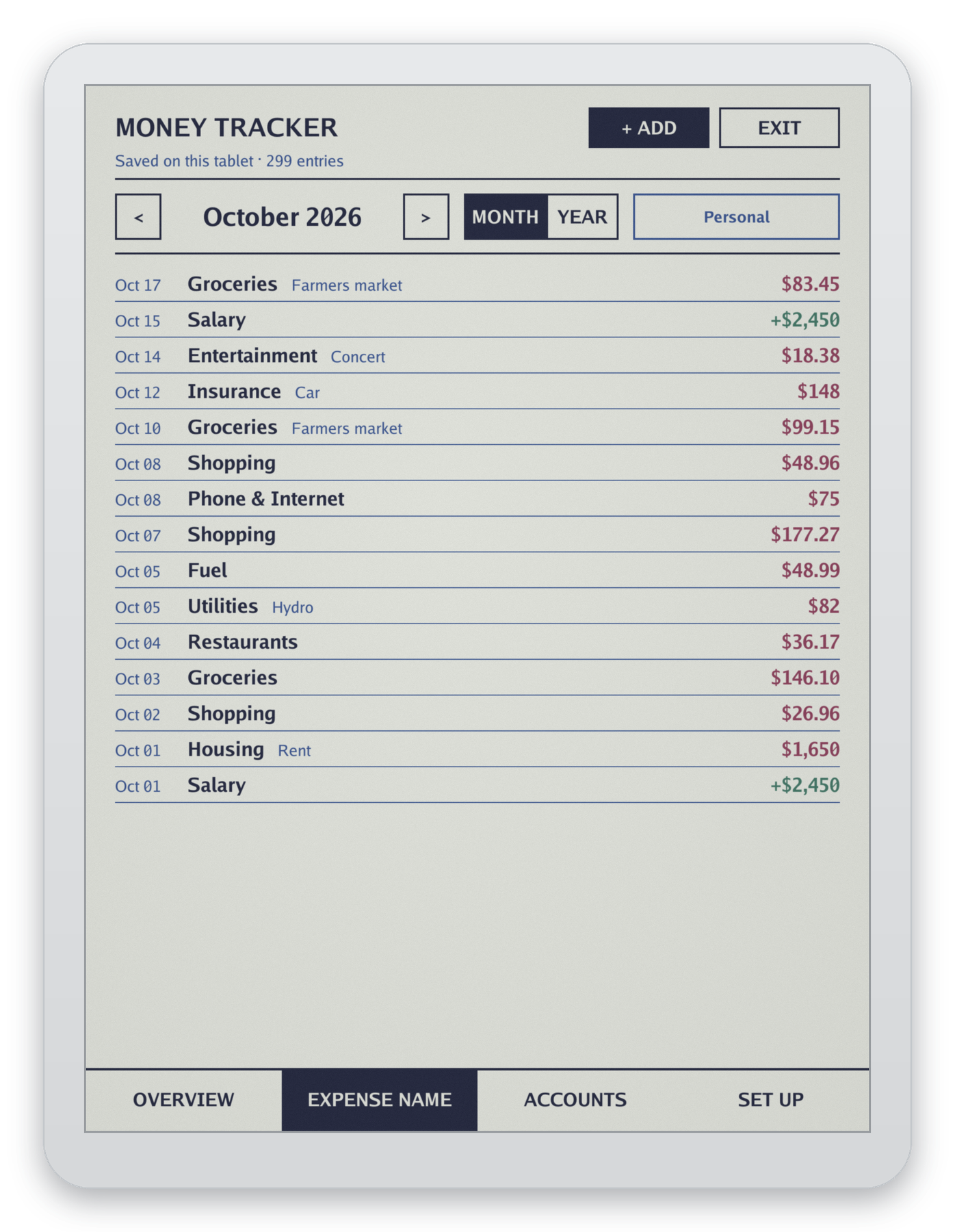
- Browse by month or year, and go back to any period.
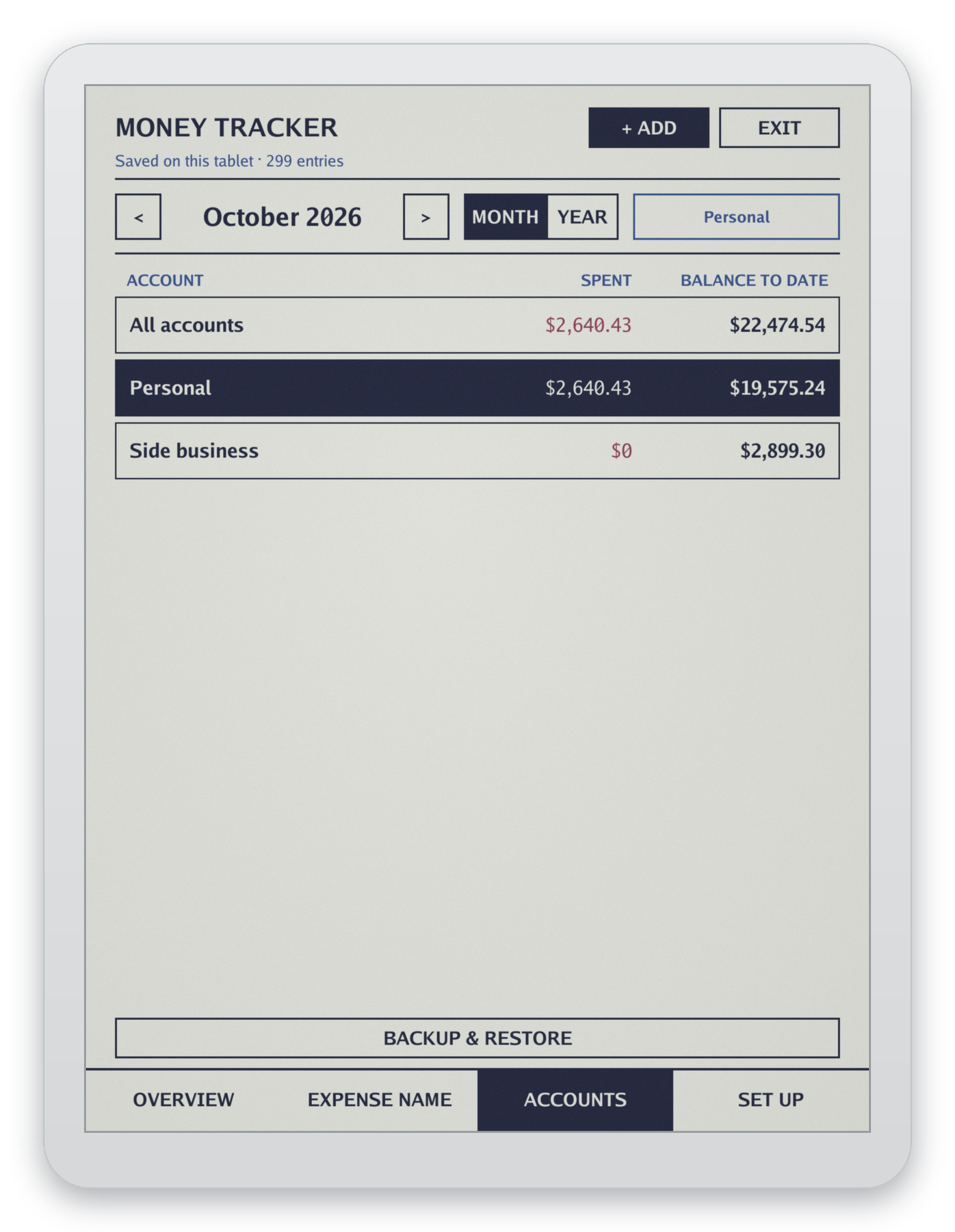
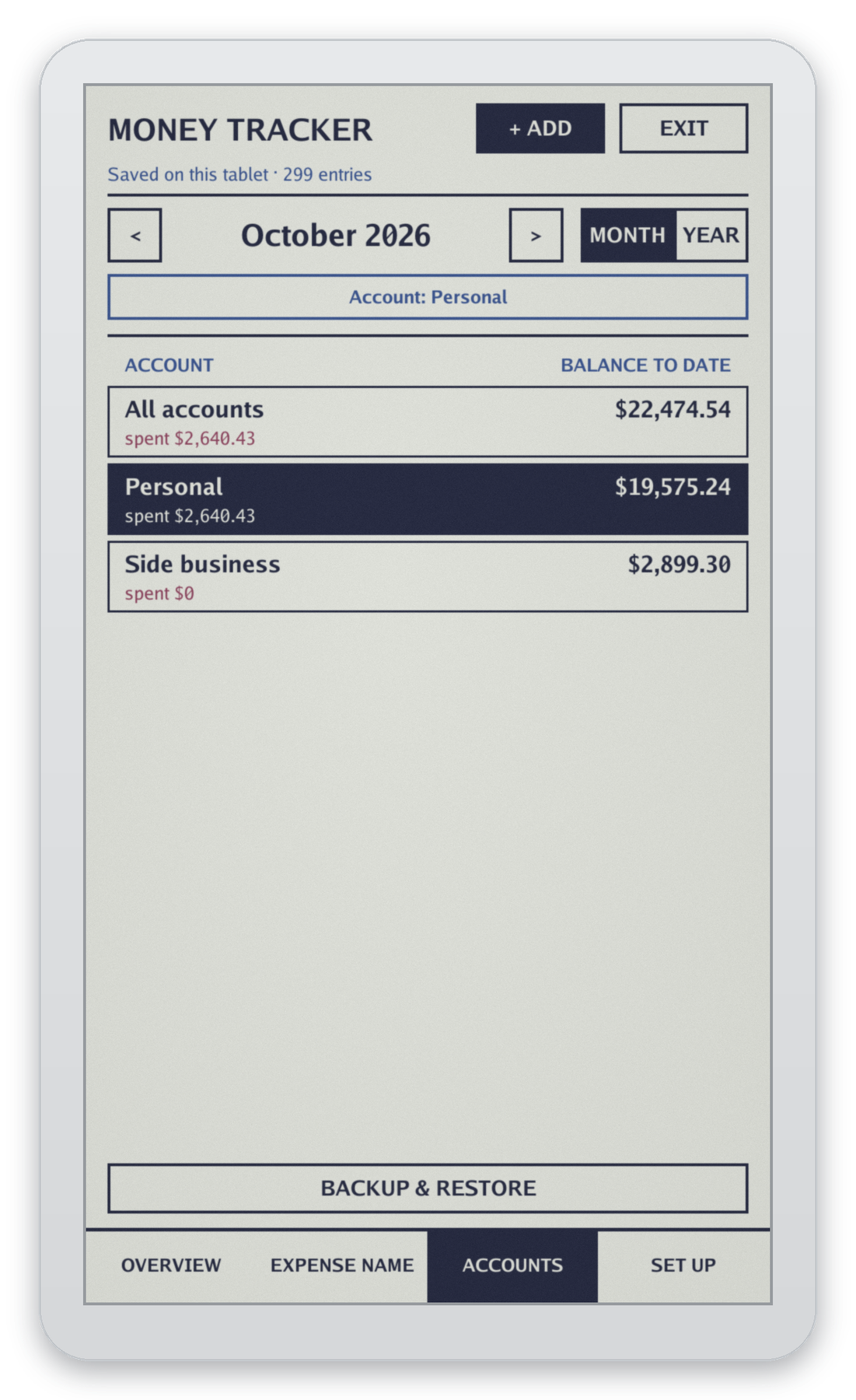
- Keep separate accounts, such as Personal, Business or Savings, or view them all together.
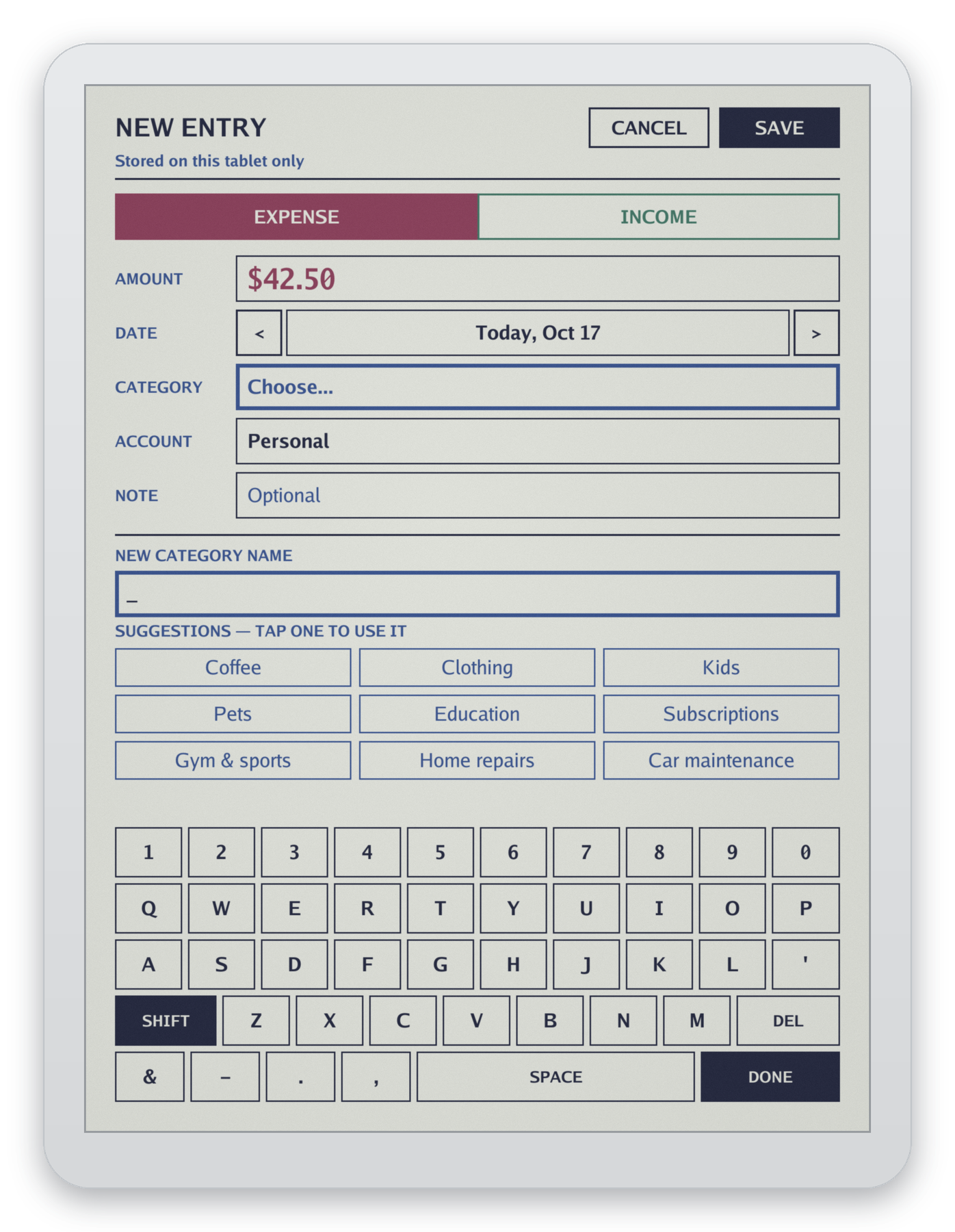
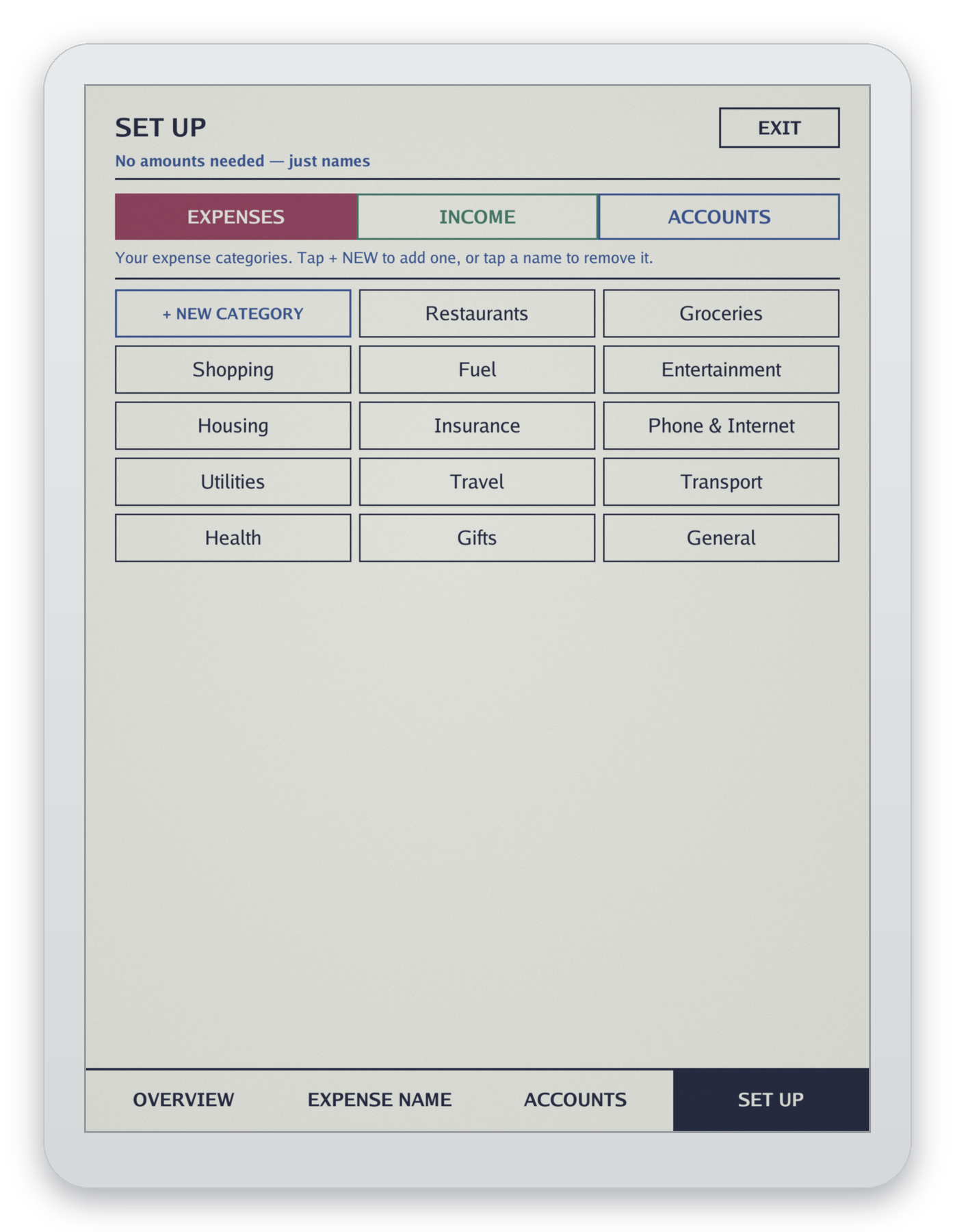
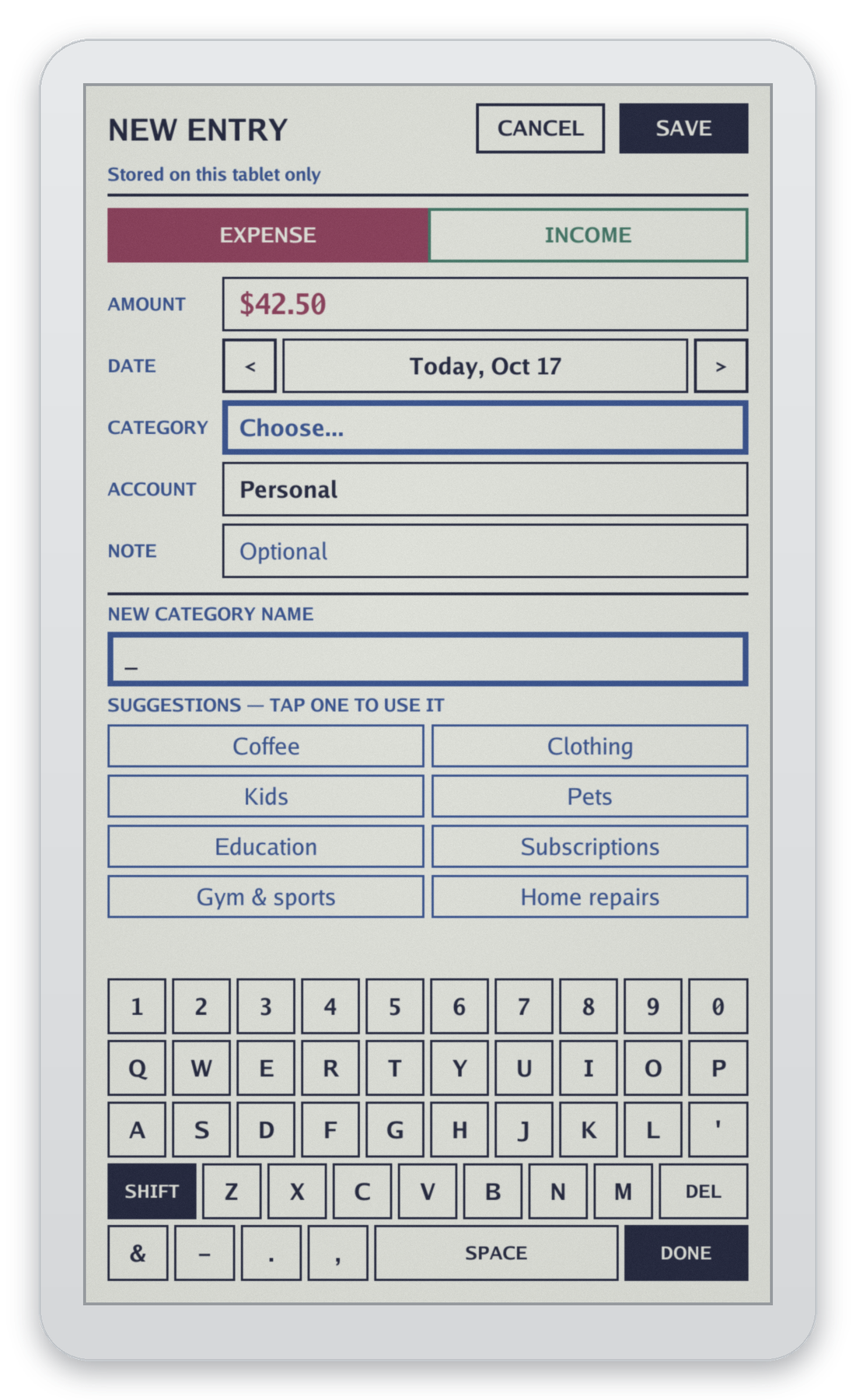
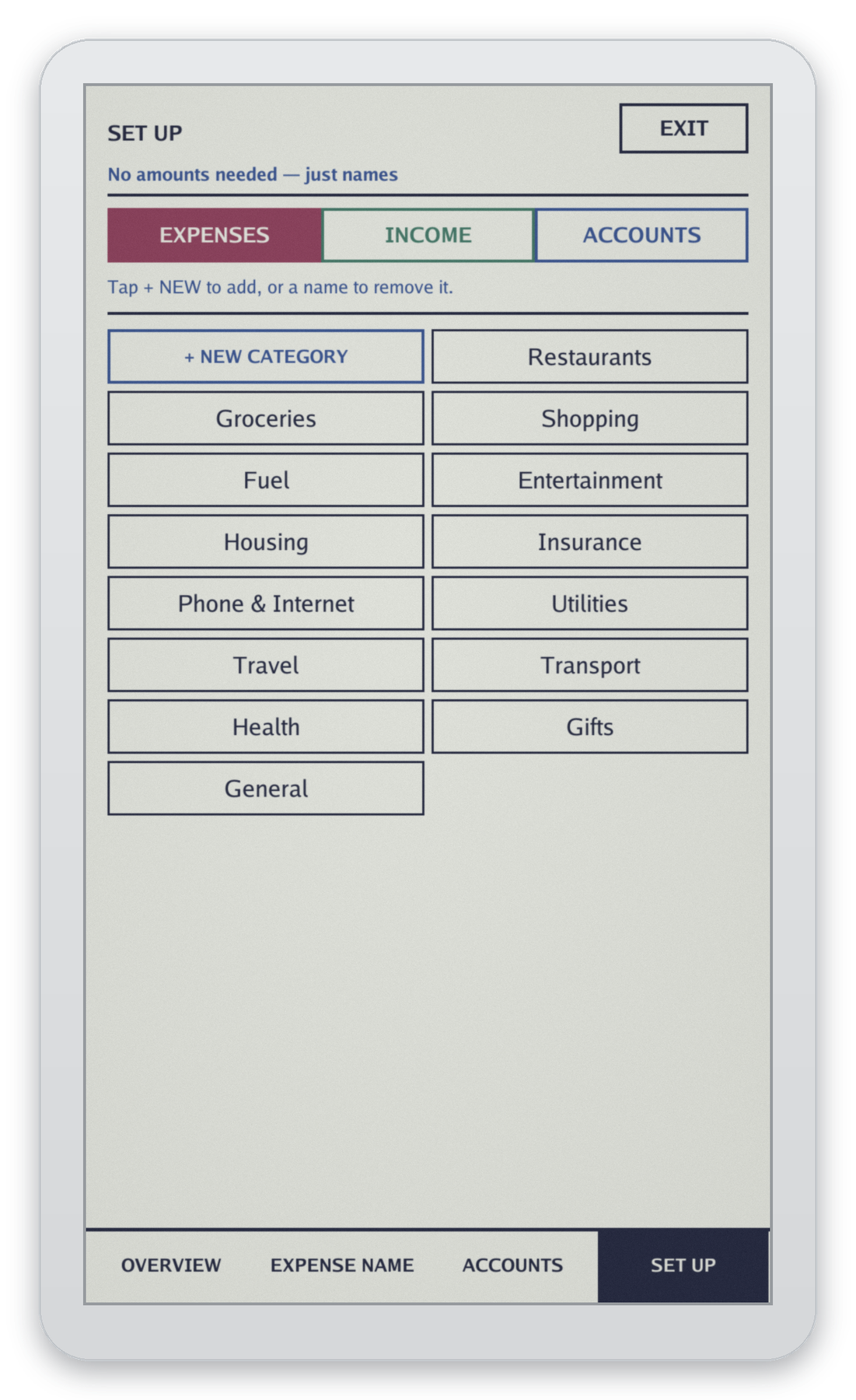
- Set up your own categories and accounts on the SET UP tab, without entering any amounts. Ready-made suggestions (Groceries, Fuel, Subscriptions, Pets and more) help you get started.
- Edit or delete any entry with a tap.
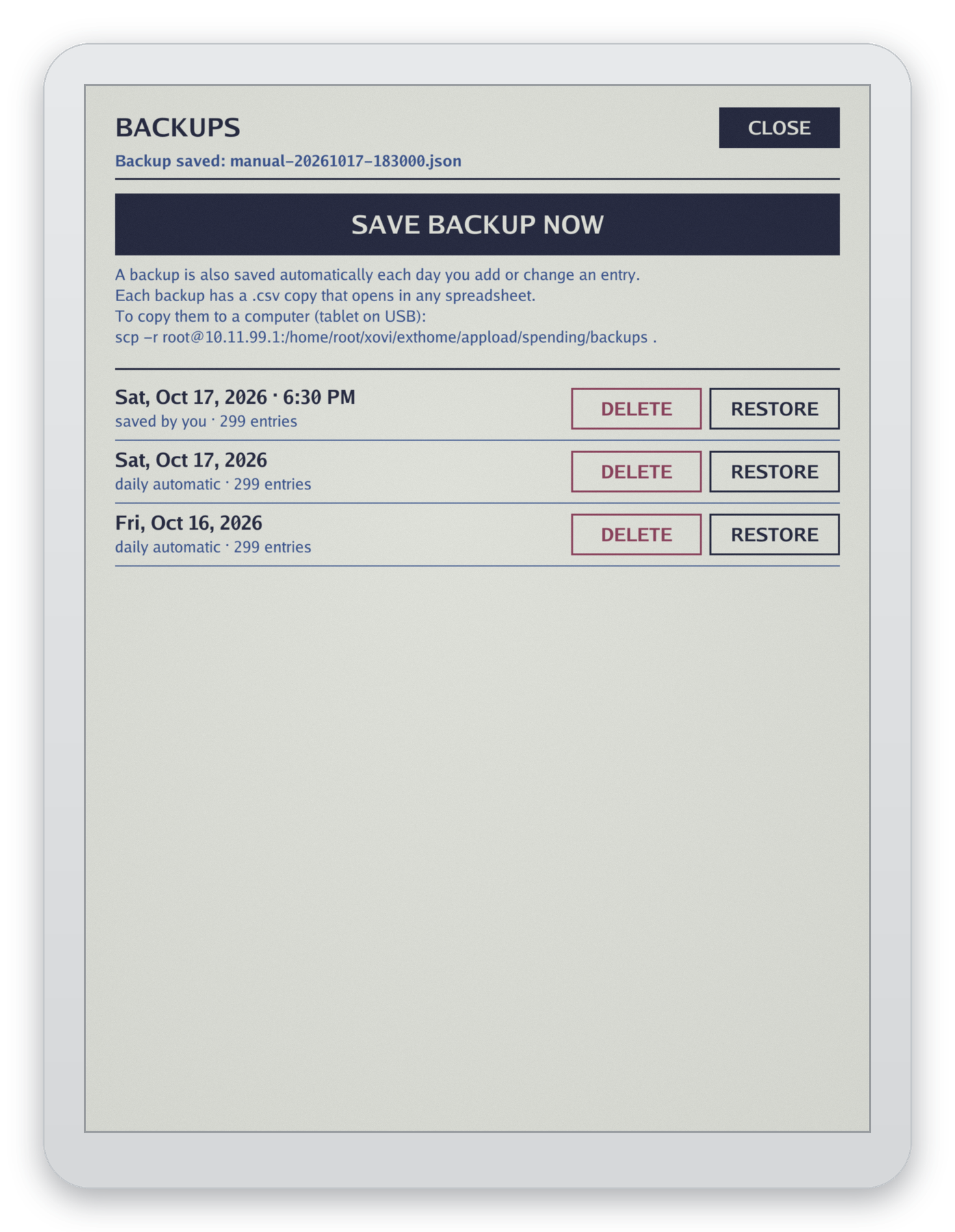
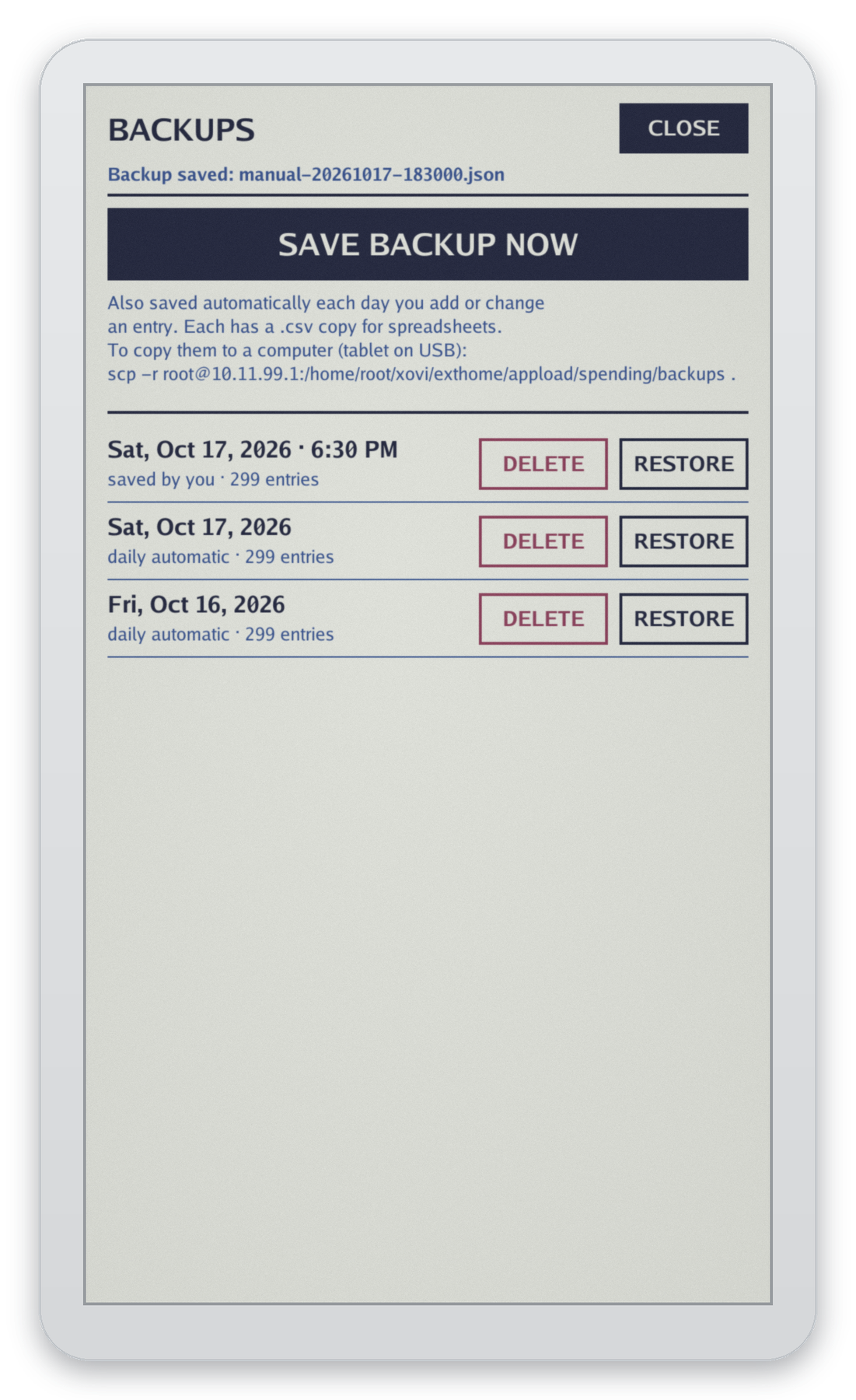
- Stay safe with backups: save one whenever you like, and the app keeps a daily backup automatically. Restore or delete backups any time. Every backup includes a spreadsheet (CSV) copy you can open in Excel or Numbers.
Made for e-ink
Large touch targets, clear colours chosen for the colour e-ink screen, and calm screens that only refresh what changes. Laid out separately for the Paper Pro and the narrower Paper Pro Move.
Private by design
Everything stays on your tablet. No sign-up, no tracking, no internet needed.
Requirements
reMarkable Paper Pro or Paper Pro Move with AppLoad installed (see our “Before you begin” guide).
How to install
Download the ZIP
After purchase, you'll receive a download link by email. Save the ZIP file to your computer.
Connect your tablet
Connect your reMarkable Paper Pro to your computer via USB and connect the TabletBob Installer.
Copy the files
Install the app via the Tablet Bob Installer. Find how to install our Free AppLoader: Get Tablet Ready
Open the AppLoad Store
Open or Reload the AppLoad Store using the reload arching arrows. Enjoy.
TabletBob apps are third-party tools not affiliated with, endorsed by, or supported by reMarkable AS. Install at your own discretion. We are not responsible for any issues arising from use of these apps on your device.